Most course creators and digital marketers pick YouTube for their VSL for the same reason: it's free, fast to set up, and embeds cleanly on a landing page. Completely reasonable.
The problem is what YouTube does after the embed is live — and most of it is invisible to you unless you know exactly where to look.
The real question
You're not asking "does YouTube work?" You're asking "how much money am I leaving on the table by using YouTube for a sales video?" Those are very different questions.
A VSL is not a YouTube video. It's a sales asset. The platform it lives on isn't just infrastructure — it's part of the conversion environment. And YouTube was designed to keep people on YouTube, not on your landing page.
Quick reality check
When did you last sit through your own VSL on a phone — not on Wi‑Fi, but on something that feels like real mobile data — from cold open to whatever happens after the video ends?
https://yourlandingpage.com/buy-now
YouTube
Competitor ads may appear here
Up next
Panda Video — why you should switch your course hosting
5 best Kajabi alternatives in 2026
Vimeo vs YouTube — which is better for courses?
How to make money online without a course
When your VSL ends on YouTube, the platform recommends what to watch next — including your competitors. You have no control over this.
What the numbers actually show
Page speed research consistently shows that a 1-second delay in load time leads to a measurable drop in conversions — estimates range from 7% to 20% depending on the audience and funnel stage. For a VSL landing page, where the entire job of the page is to get someone to watch and then buy, this matters more than almost anywhere else.
~7%
conversion drop per second of additional load time
48%
of viewers abandon a video that buffers even once
2.4s
average YouTube embed load overhead vs. direct hosting CDN
+23%
average completion rate improvement when removing related video suggestions
These numbers compound. A viewer who arrives at your page, waits 2.4 extra seconds for the player to load, sees a suggested competitor video, and gets served a pre-roll ad before your message even starts — that viewer is already in a different mental state than the one you designed your VSL for.
What could that mean in your funnel?
The calculator below is a ballpark sanity check, not a promised revenue number. It stitches together two ideas from this page so you can feel the order of magnitude.
What the model uses
Delay → conversion: the same mid-range figure cited in the stats above — roughly ~7% weaker conversion per extra second of wait time (published estimates vary; we cap how much of that we apply).
How many seconds: the ~2.4s illustrative gap between a typical YouTube embed and a direct CDN player in our DevTools walkthrough below (your trace will differ by page, region, and device).
After the video: a separate, fixed 10% relative hit for a noisier viewing environment (recommendations, ads, attention bleed). That 10% is a conservative rule of thumb for modeling — not one lab study with your audience.
If your numbers land in the “painful” range, the point is to justify testing better hosting — not to book the loss in accounting.
Monthly leak (estimate)
2.0%
Revenue at risk / mo
~$0
Load~17%
$0
Embed & player overhead
After video~10%
$0
Noise, recs, attention bleed
Same assumptions as the "What the model uses" box above — illustrative only. Lead gen: use dollar value per lead as AOV (or $1 × leads).
Picture the next 10 seconds
Your pitch lands. The viewer is nodding. Then the frame fills with someone else's thumbnail — or a countdown to an ad. Would you still click "Buy" in that exact moment?
"We switched our VSL from YouTube to private hosting and saw our watch-through rate jump from 38% to 61% within the first week. Nothing else changed — same script, same thumbnail, same ad traffic."
— Online course creator, health & fitness niche (shared in a private community, name withheld)
3 things YouTube does to your VSL right now
1. It recommends your competitors when the video ends
YouTube's recommendation algorithm doesn't know (or care) that this is a sales page. When your VSL ends, it surfaces related content — which often means competitors in the same niche, "alternatives" listicles, or videos that pull the viewer back into YouTube's ecosystem entirely.
You can disable related videos with ?rel=0 in the embed URL — but as of 2018, YouTube changed this parameter to only hide videos from other channels. Your own channel's videos will still appear. There is no way to fully remove end-screen recommendations on an embedded YouTube player.
What you cannot control on YouTube
End-screen recommendations (you can reduce but not eliminate)
Pre-roll ads (unless you pay for YouTube Premium for your viewer)
Branding — YouTube logo always visible
Autoplay behavior on mobile
Video download by viewers
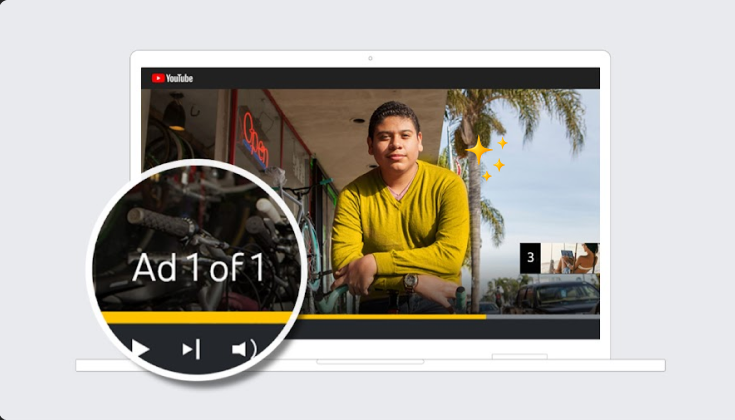
Example: YouTube can serve ads on top of your content — including before your message starts. On a VSL landing page, that is not "free hosting"; it is friction at the worst possible moment.
2. It loads slower than a direct CDN
YouTube's embed involves loading the YouTube iframe framework, the player JavaScript, and thumbnail assets from YouTube's servers — before your video even begins to buffer. This is a measurable overhead, particularly on mobile connections and in markets outside the US.
Chrome DevTools — Network tab — Landing page load
YouTube embed
youtube.com/iframe_api312ms
www.youtube.com/embed/...489ms
i.ytimg.com/vi/thumb.jpg198ms
yt3.ggpht.com/...145ms
Total player ready: ~2.4s
Kinescope (direct CDN)
player.kinescope.io/player.js48ms
cdn.kinescope.io/video.m3u862ms
cdn.kinescope.io/thumb.webp31ms
——
Total player ready: ~0.4s
Illustrative comparison of network requests: YouTube embed requires multiple third-party resources before the player is interactive. A direct CDN player loads significantly faster.
3. It gives you zero conversion data
YouTube Analytics will tell you views, watch time, and where viewers dropped off. It will not tell you:
Which specific viewers watched past your CTA timestamp
Whether a viewer who watched 80% of your VSL then clicked "Buy"
How to retarget viewers who made it to minute 4 but didn't convert
Completion rates broken down by traffic source
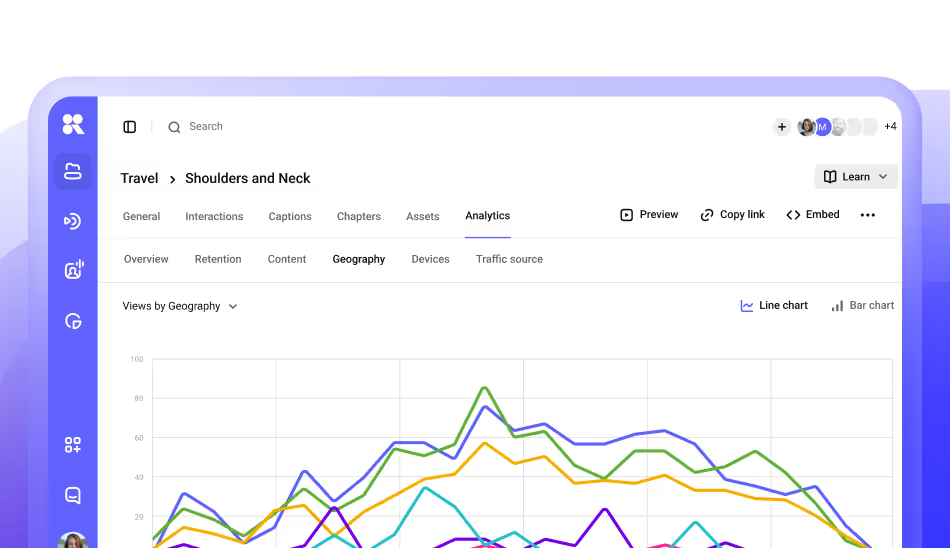
Example: slice performance by geography, device, or source inside one video — then align creative, CTA placement, and remarketing with how people actually watch.
One question your dashboard should answer
If I asked which traffic source sends people who actually cross your CTA timestamp — not just "views" — could you answer in one sentence, right now?
Without this data, you're optimizing blind. You don't know if your script is too long, if the CTA placement is wrong, or if a specific ad audience watches longer than others.
The VSL funnel and where it breaks
A VSL funnel has four stages. Each one has a drop-off rate — and the platform you host on affects every single stage.
1
Ad click → Page load
Viewer lands on your page and the player starts loading
Platform speed matters
↓
2
Play → Watch past 30s
Initial hook — viewer decides to keep watching or leave
Autoplay + UX matters
↓
3
Watch to CTA timestamp
Viewer reaches the moment where you make the offer
No distractions = critical
↓
4
CTA click → Purchase
Viewer acts on the offer — no competitor recommendations visible
Clean environment = critical
Step
Where YouTube adds friction (vs. a clean sales player)
1
Yes — usually slower to “ready.” The embed pulls in the iframe API, player JS, and Google-hosted assets before your file is the star. In our illustrative trace, that was on the order of ~2.4s to interactive vs. ~0.4s for a direct CDN path — your numbers will vary; the pattern (more third-party hops) is what matters.
2
Smaller platform tax. Once someone is watching, the gap is less about “load time” and more about autoplay rules and first-play UX — still real, but not the same as stage 1.
3
High risk. Mid-rolls, platform UI, and buffering on third-party pipes can land exactly when your pitch should land.
4
High risk. End screens and “Up next” compete with your CTA the moment the viewer should click.
So YouTube is not “slow” in the abstract — it is slower and heavier at stage 1 for a typical embed, and noisier at stages 3 and 4. Stage 2 is where the playing field is closest once playback actually starts.
What a proper VSL setup looks like
A VSL needs a hosting environment that does exactly four things:
Loads in under 500ms — so the viewer's attention is never interrupted by buffering
Plays automatically on landing — with proper mobile autoplay handling (muted autoplay → unmute prompt)
Shows a CTA button at your chosen timestamp — directly in the player, not below it on the page
Fires a pixel event when the viewer reaches your CTA — so you can retarget viewers who watched but didn't buy
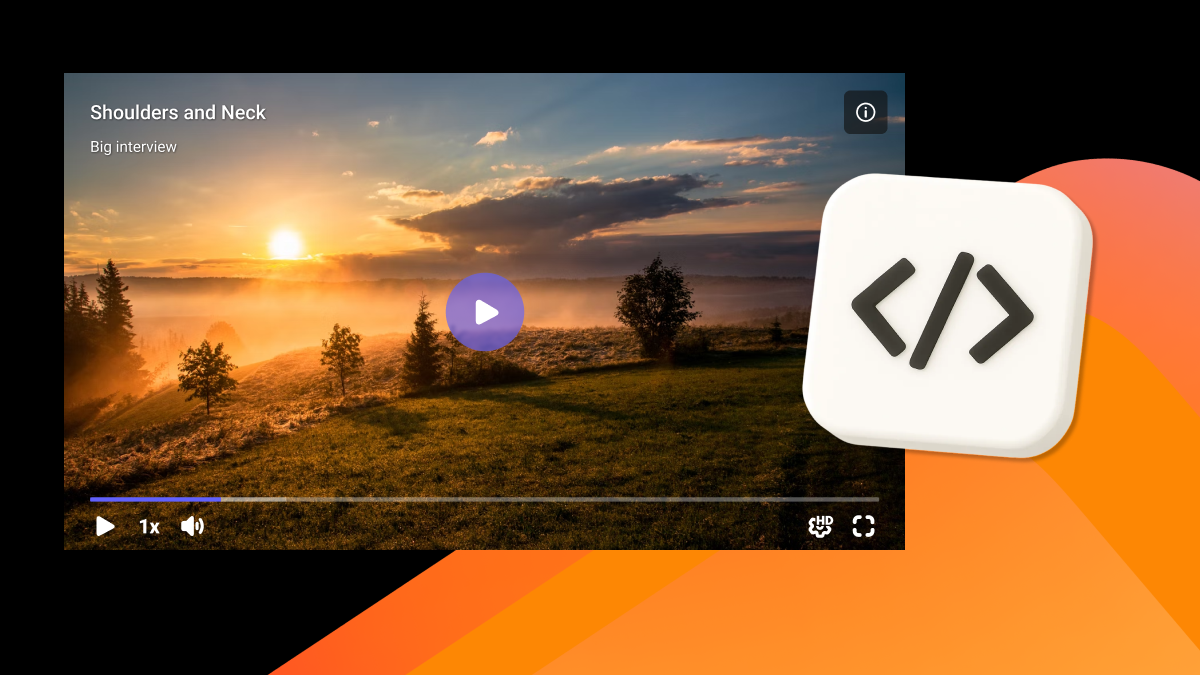
A clean VSL player: no platform branding, in-player CTA at a defined timestamp, and zero competing recommendations.
What Kinescope adds for VSL specifically
In-player CTA buttons — appear at any timestamp you set, disappear after the viewer clicks
Pixel integration — fire Meta or Google pixel events at 25%, 50%, 75%, 100% completion
Smart autoplay — handles muted autoplay + unmute detection across iOS and Android
Domain restriction — your VSL only plays on your domain, never shareable outside it
No related videos, no ads, no YouTube branding — ever
Platform comparison: VSL hosting
Feature
YouTube
Vimeo Pro
Panda Video
Kinescope
No ads / competitor suggestions
✗ Can't remove fully
✓
✓
✓
In-player CTA button (timed)
✗
Paid add-on
✓
✓
Meta/Google pixel at % watched
✗
✗
✓
✓
Smart autoplay (mobile)
Partial
Partial
✓
✓
DRM / download prevention
✗
Basic
Watermark only
Widevine DRM
Domain restriction
✗
✓
✓
✓
Viewer-level analytics
✗
Aggregate only
✓
✓
CDN load time
~2.4s overhead
~1.1s overhead
<500ms
<400ms
Price for VSL use case
Free
$20–$65/mo
From $17/mo
From $19/mo
The comparison above illustrates a pattern: YouTube is free but costs you in conversion. Vimeo solves the ads problem but not the pixel/CTA problem. Panda and Kinescope are built for this use case — the difference is DRM depth and CDN performance.
Before you launch: 7-point VSL checklist
Plain list — nothing to expand. Work through the seven checks on phone and desktop.
Items 1–3 · Viewer stays focused
No YouTube branding or suggestions visible in the embed at any point, including after playback ends On your live landing page, play the embed to the very last frame. Confirm: no end-screen grid, no "Up next" rail, no competitor thumbnails — only what you intended (e.g. your page CTA).
Player loads in under 500ms — test with Chrome DevTools on a throttled 4G connection Chrome → DevTools → Network → throttling Slow 4G → hard reload. Time from navigation until the player is usable (spinner gone, play or autoplay ready). Repeat on your second-worst market if you run geo ads.
Autoplay works on mobile — specifically on iOS Safari (the hardest case) Open a private tab on iPhone Safari, hit your landing cold. Video should start muted per policy; unmute path should be obvious and the stream should not stall on first play.
Items 4–5 · Viewer takes action
In-player CTA appears at your defined timestamp — not just a button below the video Scrub to the moment you verbally make the offer. The CTA should appear inside the player at that beat — not only as static HTML under the iframe.
Pixel event fires when viewer hits your CTA moment — verify in Meta Events Manager Meta Events Manager (or Google Tag Assistant) → play through in a test session → at the CTA timestamp you should see the expected custom event fire once, not spammed on every tick.
Items 6–7 · You can improve the next cut
Video only plays on your domain — test by copying the embed URL directly; it should not play Grab the raw embed or share URL, paste it in a blank tab or on another domain you control. Playback should refuse, watermark, or otherwise fail — not play as a portable file.
You have per-viewer data — you can see that a specific user watched 7 of 12 minutes In your analytics, pick one test view (yourself or a teammate) and confirm you can see depth or milestones — not only aggregate watch time. If you cannot tie depth to audiences, you cannot fix the script or the media buy.
How to read the results
If any of these fail, you have a measurable conversion leak. Items 1–3 affect whether the viewer stays focused. Items 4–5 affect whether the viewer acts. Items 6–7 affect whether you can improve the next version.
The bottom line
YouTube is the right choice for top-of-funnel content: YouTube Shorts, educational videos, brand awareness. It's the wrong choice for a VSL, because a VSL is not content — it's a conversion asset. The platform it lives on is part of the conversion environment.
The good news: switching your VSL hosting takes about 20 minutes. Upload, configure your CTA timestamp, connect your pixel, replace the embed code. That's it. The load time improvement and the removal of competing suggestions are immediate. The pixel data starts building from the first play.
One thing to do today
Open your VSL landing page, watch it to the end, and pay attention to what appears after the video finishes. If you see YouTube recommendations — especially for competitors — you now know exactly what to fix and why it matters.
Host, protect, and stream your videos in one place.