Training video software: the categories, and how to choose your stack




Secure hosting next to your LMS
Search “training video software” and every list hands you the same answer: recording and creation tools, ranked. That answer is useful and incomplete. For a corporate L&D team, the tool that records a video is rarely the thing that decides whether the program works. What decides it is whether the finished video stays private, plays reliably to everyone who needs it, and reports back who watched.
This guide maps the full landscape: the creation categories most guides cover, plus the hosting and delivery layer that rounds it out, with a checklist to choose. Whichever training video software you shortlist, the decision turns on the same two things: keeping the video secure, and knowing who learned from it.
Key takeaways
- Training video software is a stack of tools. It spans recording, editing, interactivity, a learning platform, and the hosting underneath, and most teams run several at once.
- Most guides focus on creation tools. Camtasia, Synthesia, Vyond, and Loom all make video; where corporate video lives — secure hosting, access control, and analytics — is a separate layer.
- Match the category to the job. Screen recording suits expert-made how-tos, AI avatars suit fast script-to-video, animation suits concepts, and interactive tools suit compliance and assessment.
- For internal training, the deciding features are delivery-side: DRM, signed links, SSO, and analytics tied to the learner record.
- Delivery is where a good video quietly fails. A polished recording still loses people if it buffers, won’t play on someone’s device, or no one can tell who finished — so where and how it plays matters as much as how it was made.
- Watch cost and lock-in. An all-in-one suite is convenient, and a separate hosting layer keeps content portable and priced by usage.
What training video software includes
Training video software covers five jobs, and a mature program touches all of them:
- Creation: recording and editing the footage.
- Interactivity: questions, branching, and assessments.
- Learning platform: an LMS to assign, deliver, and record completion.
- Hosting and delivery: where the file lives, how it’s protected, and how it streams.
- Analytics: running across the last three, turning views into something you can act on.
Most teams assemble this from more than one vendor, because no single product is best at all five. The spend backs the effort: the corporate e-learning market reached about $104 billion in 2024 and is projected to more than triple by 2030 (Grand View Research), and video is central to how that training gets delivered. Short, modular clips with knowledge checks tend to hold attention better than long recordings. The value shows up only when the video is made and delivered well, which is why the hosting layer deserves as much attention as the recording tool.
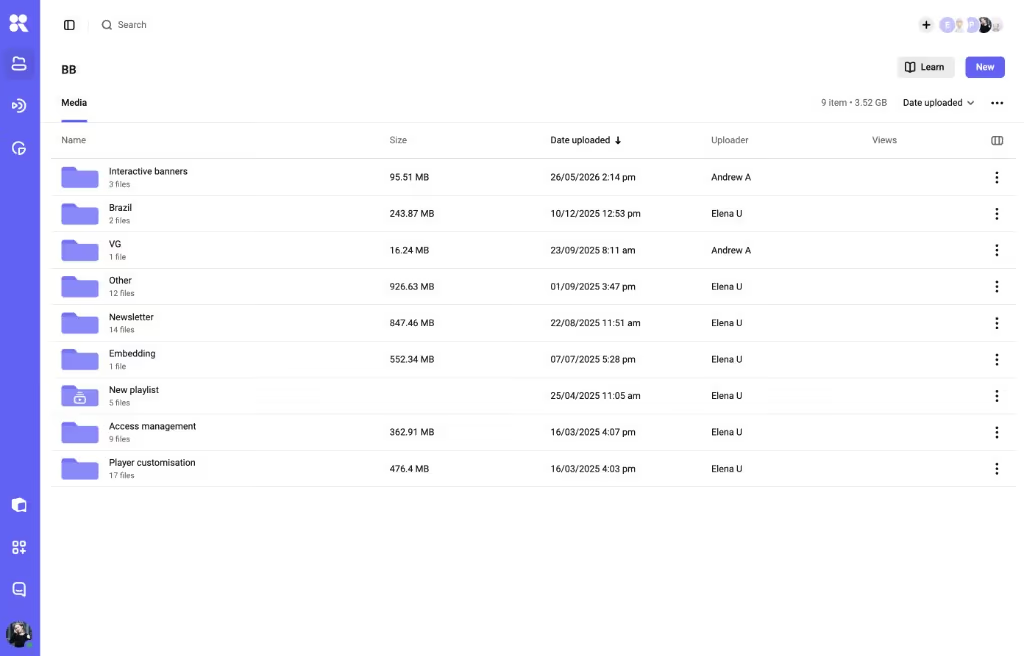
Screen recording and lecture capture
This is where most internal training starts: a subject-matter expert records their screen, a process, or a talking-head explainer, and lightly edits it.
Where it fits: quick, expert-made how-tos
Screen recording shines for software walkthroughs, process documentation, and quick updates that don’t need a studio. When the person who knows the material can record it in ten minutes, you get more training made and less sitting in a backlog.
The tools: Camtasia, Loom, Snagit
Camtasia is the long-standing choice for recording plus timeline editing, with Snagit as its lighter sibling for quick screen grabs. Loom is the async-first option for the quick screen messages a manager sends to a team.
Where it stops: at the raw file
Recording tools stop at the file. They don’t protect it, they don’t tell you who finished it, and their built-in sharing usually means a public or semi-public link. For internal or sensitive material, the video still needs somewhere secure to live.
AI avatars and script-to-video
A newer category turns a script into a presenter-led video with a synthetic avatar and voiceover, no camera or studio required.
Best when you localize or update constantly
If you localize the same course into eight languages, or update a compliance module every quarter, avatars remove the reshoot. You edit the script, regenerate, and publish, which is why L&D teams with high-volume, frequently-changing content reach for this first.
Two names lead here: Synthesia and Colossyan
Synthesia is the best-known avatar platform, with a large library of presenters and languages. Colossyan targets workplace learning specifically, with features aimed at scenario-based training.
The trade-off: still reads as synthetic
Avatars still read as synthetic to many viewers, and they don’t fit content that needs a real human’s credibility. Their own players give basic view analytics, though for business use the output still needs hosting, protection, and embedding elsewhere.
Animated explainers
When the subject is a concept rather than a screen — a policy, a workflow, a “why this matters” — animation carries it better than a webcam.
Where animation earns its place
Onboarding narratives, values and culture explainers, and abstract process training all land well as animation, because motion and metaphor make an idea stick where a talking head would drift.
Vyond and Powtoon, mostly
Vyond is the reference tool for drag-and-drop business animation. Powtoon covers a similar brief with a lighter learning curve and template-led output.
Animation takes longer to produce than a screen recording, though, and it dates faster when your branding or product UI changes. Budget for updates, and keep source files portable.
Interactive video and assessments
Passive watching is where retention leaks, so this category adds questions, branching, and decision points inside the video itself.
Why interactivity moves the numbers
Embedding low-stakes questions during a video, instead of only afterward, raises quiz scores and participation in controlled studies, and the interactive-learning market has grown accordingly. For compliance and certification, interactivity is often the difference between a completion tick and actual recall.
From authoring suites to in-player quizzes
Some authoring suites (iSpring, Articulate) build interactivity into the course; dedicated interactive-video tools add branching scenarios; and a few video platforms support in-player chapters, quizzes, and calls to action without a separate tool.
SCORM and xAPI. If results have to flow into an LMS, the interactivity usually needs to export as SCORM or xAPI, the two standards that let a course report scores and completion back to the learning platform. Check that whatever you choose speaks the standard your LMS reads.
The learning platform (LMS) layer
An LMS is the system that assigns training, delivers it, and records who completed what — the administrative backbone of a formal program.
What an LMS adds
Enrollment, learning paths, completion tracking, certificates, and compliance reporting. For regulated training, the audit trail an LMS produces is the reason it exists.
When you need one
If you must prove that named people completed required training by a date, you need an LMS. Most large enterprises run one for that reason; smaller teams often don’t need the overhead.
When hosting is enough on its own
Plenty of training never needs the full LMS machinery. A fast-growing team onboarding fifty new hires, or a support team sharing a product-update series, often just needs the video hosted securely, embedded where people work, and measured. Standing up an LMS for that is overkill; a hosting layer with analytics does the job.
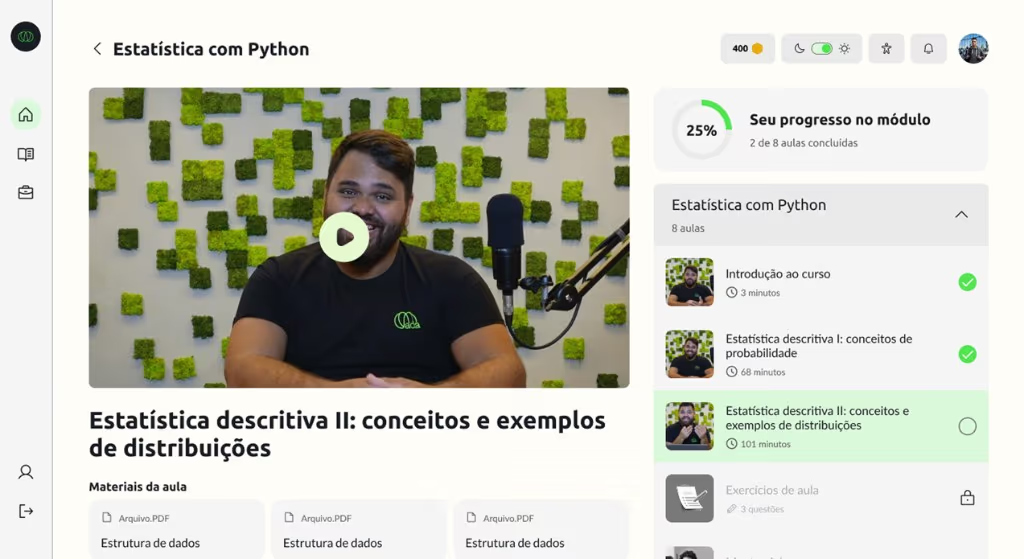
The hosting and delivery layer
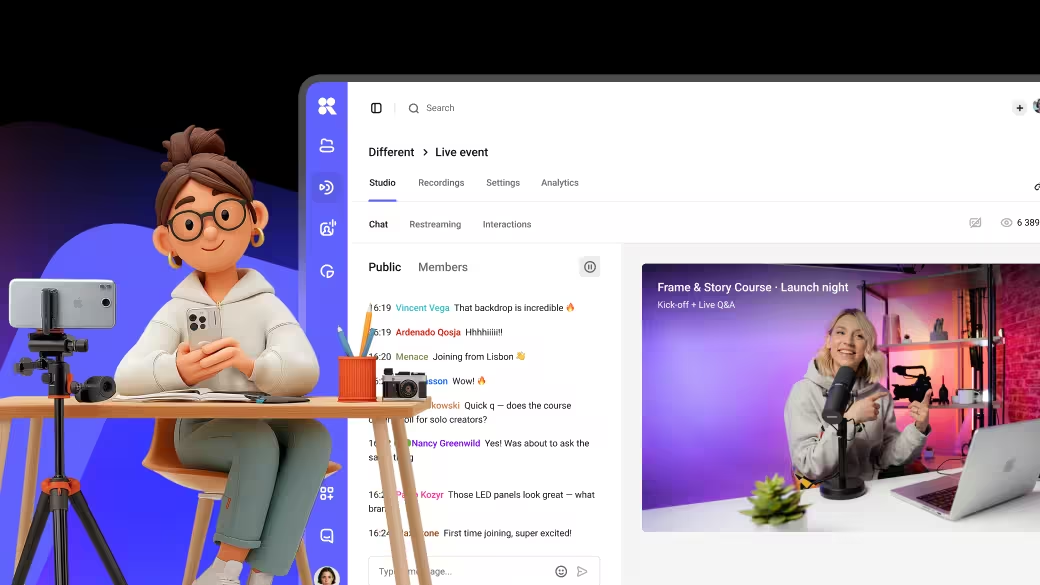
Every category above produces a video file. Where that file lives, how it’s protected, and how it streams is a separate decision, and for internal training it’s the one that carries the most risk. It’s easy to settle the creation tool first and leave this layer for later, and it’s where a platform like Kinescope fits in the stack, underneath the creation tools rather than competing with them. For live training it also captures video directly: live streams and video calls record straight into the same library, so a live session or a recorded call becomes a catalogued video on its own.
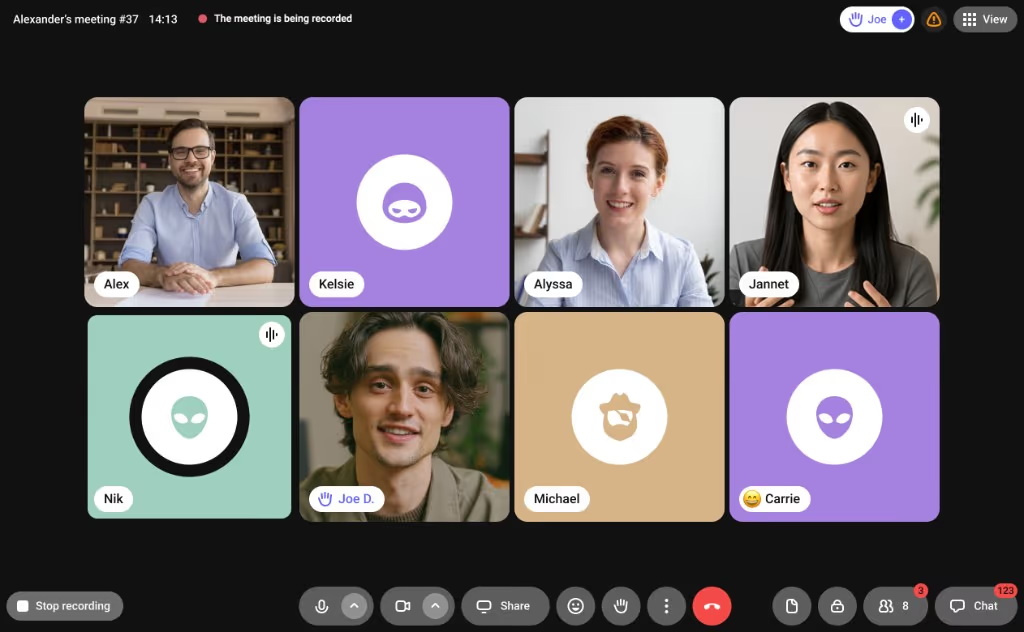
Protecting internal video
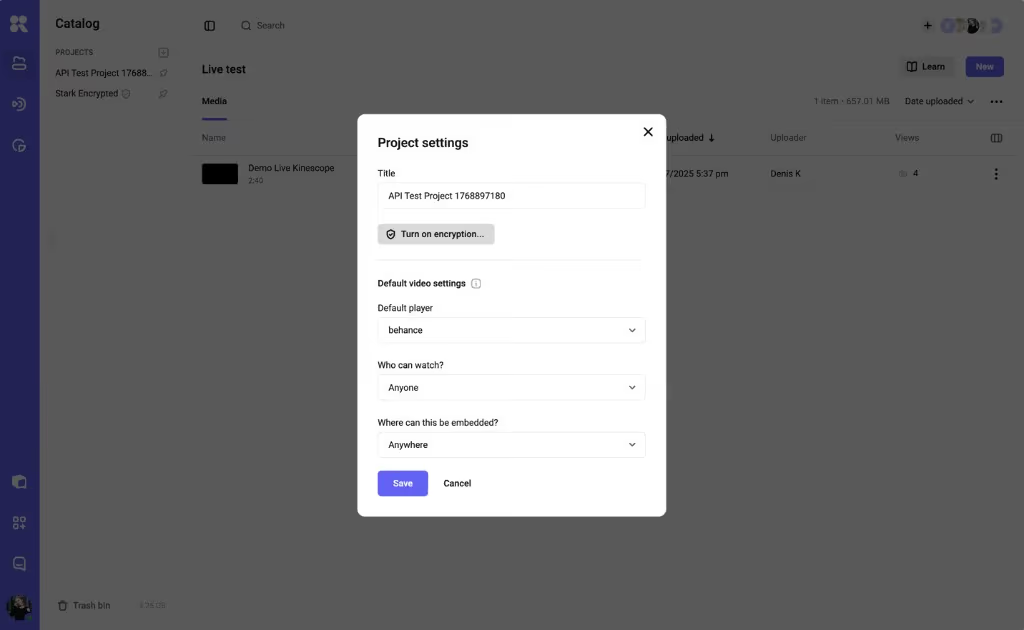
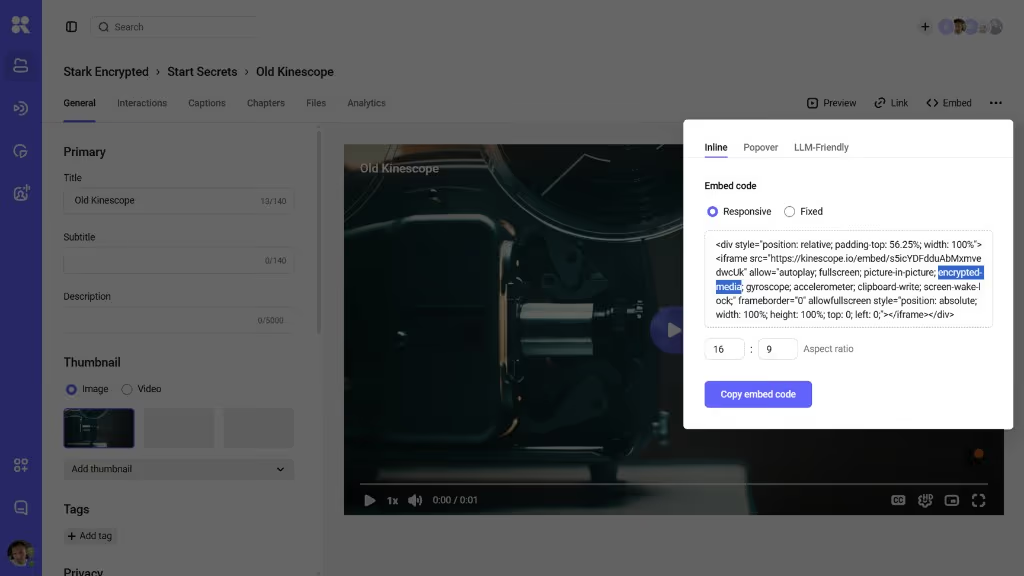
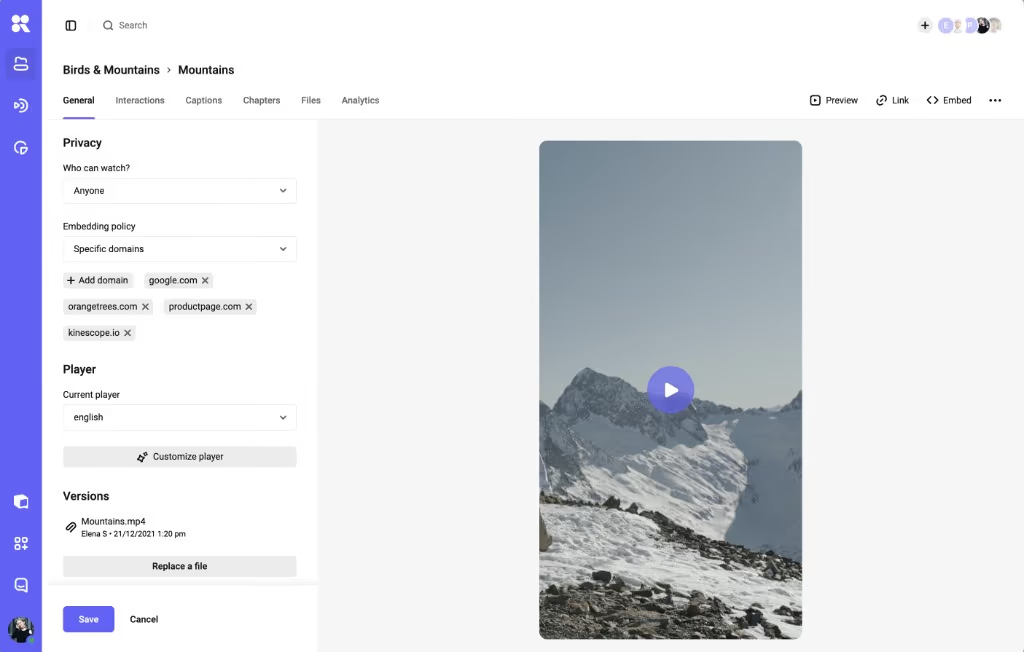
Training often contains things you can’t leak: unreleased product, customer data, internal process, paid course material. Page-level protection (a password, a domain rule) guards the page, while DRM — digital rights management, via Google’s Widevine and Apple’s FairPlay — encrypts the stream itself, and signed, expiring links stop a shared URL from living forever. You set this per project: turn on encryption, then choose who can watch and where the video can be embedded. For sensitive internal video, that difference matters.
Analytics tied to the learner
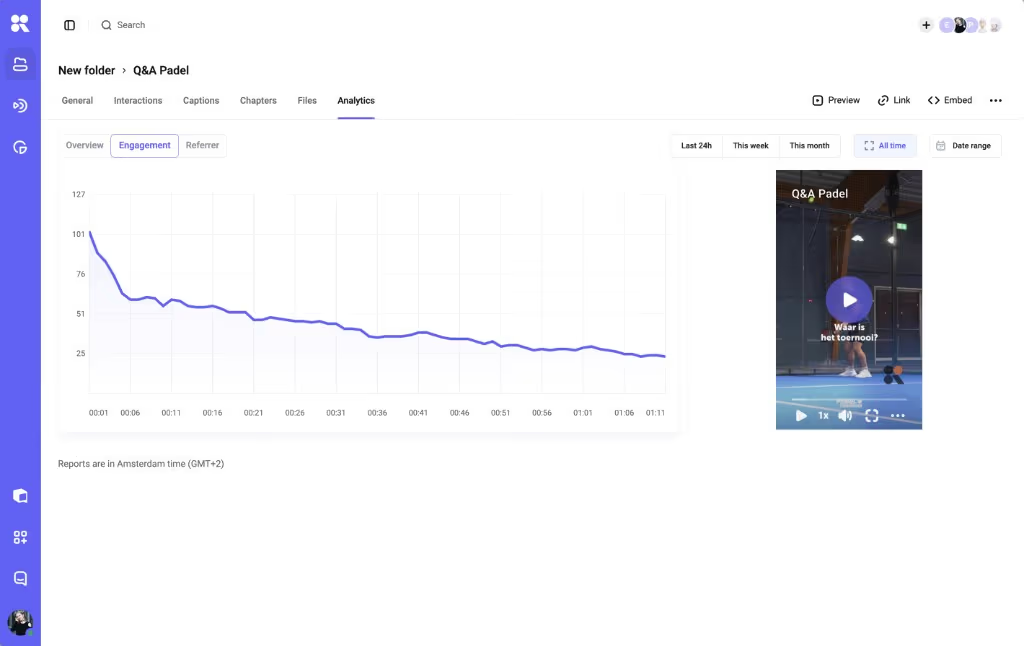
Completion ticks lie; watch-depth doesn’t. The delivery layer is where you see that viewers drop off at the four-minute mark, or that a module gets rewound at the same spot every time, a sign it’s unclear. Per-video analytics — watch time, rewinds, drop-off — turn “87% completed” into something you can act on, especially when the events feed your LMS or BI tool.
SSO and embedding where people work
Internal video should appear inside the tools people already use — an LMS, an intranet, a Notion page — and respect who’s allowed to see it. Single sign-on (Kinescope supports SSO via Keycloak or AD FS on its Mega plan) ties access to your corporate directory, and an embeddable player plus a player API put the video where the work is.
Access travels with the embed too: an allowed-domains list sets where the player can appear, and a who-can-watch setting decides who gets in.
Pricing that scales with usage
L&D headcount and viewership rarely move together, so per-seat pricing punishes the wrong thing. Usage-based hosting — Kinescope starts on a €10/month floor, then bills from €0.03/GB for storage and delivery, with pricing and a calculator on the page — tracks what you stream and keeps a growing team off the invoice.
Training video software at a glance
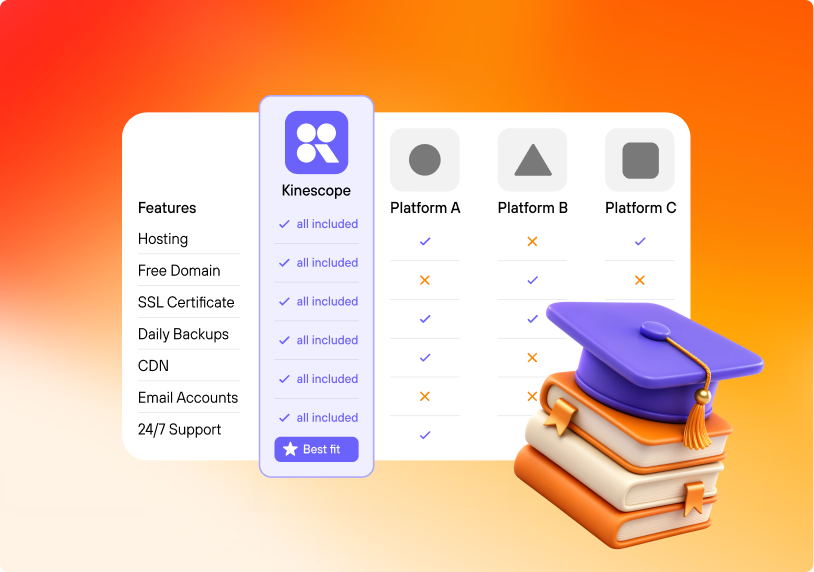
Here’s how the training video software categories compare on the jobs an L&D buyer cares about. Read it as a map of a stack, since most programs use one row from the top group and the hosting layer underneath.
| Category | Example tools | What it’s for | Handles secure hosting | Learner analytics |
|---|---|---|---|---|
| Screen recording | Camtasia, Loom, Snagit | Record and edit how-tos | No | Basic |
| AI avatars | Synthesia, Colossyan | Script-to-video at scale | No (access control only) | Basic (on their player) |
| Animated explainers | Vyond, Powtoon | Concept and culture video | No | No |
| Interactive / authoring | iSpring, Articulate | Quizzes, branching, SCORM | In the LMS | In the LMS |
| LMS | iSpring Learn, Moodle, Canvas | Assign, deliver, certify | Login-gated | Completion |
| Hosting & delivery | Kinescope | Capture (live, calls), host, protect, embed, measure | Yes (DRM, signed links; SSO on Mega) | Watch-depth |
Categories overlap and tools cross lines; treat this as orientation, and confirm current features on each vendor’s page.
How the categories fit into a stack
The right training video software combination depends on who you are and what you have to prove.
The small or fast-growing team
A screen recorder for how-tos, plus a secure hosting layer to keep them private and measure them, covers most of what a sub-100-person company needs. Add an LMS only when informal sharing stops scaling.
The edtech or course business
Here the video is the product, so production quality and protection both matter: an animation or avatar tool for polish, interactivity for engagement, and hosting with DRM and usage pricing so a popular course doesn’t wreck the margin. Our guide to video hosting for online courses goes deeper on that case.
The corporate L&D function
A larger org usually runs an LMS for compliance, one or two creation tools, and a hosting layer that provides SSO, security, and analytics across everything. The hosting layer is what keeps the program consistent as tools come and go, and it’s often the last piece added — sometimes only after a leak or a reliability complaint. Our piece on onboarding video programs covers how that plays out.
How to choose your training video software
The right training video software falls out of five questions worked in order. Start with who owns the decision and what you have to prove, then let each answer narrow the next; the same five make up the downloadable checklist.
- Who makes the videos? If subject-matter experts do, favor speed and ease over production power (screen recording, avatars). If a content team does, a heavier animation or authoring tool earns its keep.
- Does it have to prove learning? For compliance or certification, require interactivity plus SCORM or xAPI export and an LMS to record it. For enablement and onboarding, watch-depth analytics from the hosting layer is often enough.
- How sensitive is the content? The more confidential the material, the more the decision moves to the delivery layer: DRM, signed links, domain rules, and SSO. If you sell or protect the video, treat this as non-negotiable and see our secure video hosting guide.
- Where will it play, and who controls access? Test embedding in your real LMS or intranet, and confirm access ties to your directory. A video that won’t embed cleanly, or that ignores your permissions, creates work forever.
- How does the cost scale? Model the bill at 3× your current library and viewership. Per-seat and per-video pricing can spike; usage-based pricing tracks what you stream. Lock-in matters too, so keep source files and hosting portable.
Prefer a one-pager? The free Choosing training video software checklist puts these five questions and a category-by-need cheat sheet on a single page you can take into your next tooling review. Download the checklist to keep it handy.
Conclusion
The roundups cover creation tools well, and that’s only half the picture. Making the video is the visible half. Keeping it private, getting it to play everywhere it’s needed, and learning who watched is the half that decides whether the training works, and it’s the layer that’s easiest to leave for last.
If your program is coming together and the missing piece is that delivery layer, Kinescope is built to be it: DRM and signed links from the base plan, SSO for corporate access, watch-depth analytics you can feed into your LMS, and usage pricing that doesn’t grow with headcount. Start free, or book a demo to map it against your stack.