How onboarding videos reduce churn — and how to host and measure them





Many users who cancel a subscription never really saw what the product could do for them. They signed up, looked around, ran into something confusing, and drifted off, often within the first week. A cancellation tends to surface in your dashboard well after the user quietly disengaged, during the part of the journey that usually gets the least attention.
An onboarding video is one of the few things that reliably closes that gap. It shows a new user the shortest path to a first result, in the place where they get stuck, at the moment they’d otherwise give up. This guide covers where video fits the SaaS journey, the handful of clips worth producing, and how to measure whether they move retention.
Key takeaways
- Churn is mostly an onboarding problem, and it moves fast, decided while users are still working out whether the product is worth it.
- Video earns its spot because people already reach for it to learn new tools.
- An onboarding video works best when it drives one clear next action and gets the user to a first win early, which is what correlates with staying.
- Five clips cover most of the journey: a welcome, a first-run walkthrough, a setup guide, a rescue for the stuck, and a milestone nudge.
- If you can’t see where viewers drop off, you can’t improve the video. Watch-depth analytics turn a guess into a specific edit.
Two kinds of onboarding video
The term “onboarding video” covers two different jobs, and it’s worth separating them before going further.
This guide is mostly about customer or user onboarding: teaching someone who just signed up how to reach value in your product, which is the version that shows up in churn numbers.
The other kind is employee or internal onboarding, meaning new-hire welcomes, compliance, and internal training. How you produce those is a separate topic, but the hosting questions carry straight over, and for internal video they get stricter: the content is confidential, so access control, DRM on sensitive material, and completion tracking matter even more than they do for a public product tour. The FAQ covers the HR-framework questions people search for there; the body below stays on the customer side, where a well-placed video pays for itself in retained revenue.
Why onboarding video moves churn
Churn, the share of customers who stop paying over a period, tends to be decided earlier than teams expect. Most voluntary churn happens near the start, while a new user is still working out whether the product is worth it; as Recurly puts it, a slow or confusing first experience makes people give up before they reach the value they signed up for. Whatever the exact split for your product, the early days carry most of the risk.
The reason is activation, the first “aha” moment when the product’s value finally clicks for a user. It’s a high bar: even at the strongest product-led companies, activation runs only about 20 to 40% (OpenView), so most sign-ups never get there. Speed matters too: the sooner someone reaches that first win, the more likely they are to still be there a month later.
Video shortens time to value
Video helps here because it compresses explanation. A 90-second clip can show a workflow that a wall of tooltips only gestures at, and people already prefer to learn this way. Asked how they’d rather learn about a product, 63% choose a short video over articles, manuals, or a sales call (Wyzowl, 2026). A short, specific walkthrough plays to that preference.
The business case compounds, too. The classic Bain finding, popularized by Harvard Business Review, is that lifting retention by five points raises profit by 25% to 95%. Onboarding video is one of the cheaper ways to buy a few of those points, since you produce a clip once and it works on every new account after that.
When video is the right format
Not every step needs a video, and reaching for one everywhere is its own mistake. Video pays off when a task is visual, sequential, or easy to describe wrongly in writing: the first-run setup, an integration with a few moving parts, the feature that delivers your core outcome. For a quick definition or a single setting, text is faster to skim and cheaper to keep current. The useful instinct is to match the format to the friction, and let text handle the quick lookups.
Where video fits the SaaS journey
The clearest way to plan onboarding video is to map it to the path a new account takes, then place one clip where each stage tends to lose people.
Welcome and first run
The first session sets the tone. A short welcome, 30 to 60 seconds, orients the user, names the one thing to do first, and points them at it. A welcome works as a signpost: it lowers the “where do I even start” friction that ends a lot of trials before they begin.
Setup and integration
Setup is where motivated users still stall, especially anything involving a connection to another tool, an import, or a configuration screen. A screen-recorded walkthrough that follows the exact path in your product removes the guesswork. Keep it to the happy path; edge cases belong in written docs the video can link to.
Feature activation: the “aha” moment
For most products, one action predicts retention better than any other. For Slack it was famously a team sending around 2,000 messages; for your product it might be a first report generated or a project shipped. Build a clip whose only goal is getting the user to that action. A quick win early is the strongest signal that a user will stay, so this is the clip to get right before the others.
Milestone and expansion
Onboarding doesn’t end at activation. A short video at a natural milestone, once a user has invited a teammate or finished their first project, can introduce the next capability. Framed as “here’s what you can do now,” it reads as help and quietly grows usage.
The onboarding videos worth making
Across those stages, five clips cover most of what a SaaS team needs. You can treat this as a starter set and expand once the analytics show where users still struggle.
- The welcome. Who you are, the single first action, and reassurance that value is minutes away. Short, warm, and specific to the plan the user just picked.
- The first-run walkthrough. The shortest route to a first result, screen-recorded in the real product. This is the activation clip, and it deserves the most polish.
- The setup or integration guide. One video per common connection or configuration, each following the exact path a user takes, with written docs linked for the exceptions.
- The “you’re stuck” rescue. A 60-second answer to the question your support inbox sees most. Surface it in-app right where the user gets stuck.
- The milestone nudge. A brief “you’re ready for this next” clip tied to a real event in the account, introducing the feature that expands usage.
Knowing which clips to make is the easy half. The harder half is getting each one in front of the right user and proving it worked, so we’ve put together a short publish-and-measure checklist: a two-page reminder of everything to set up before you hit publish.
What good onboarding video looks like
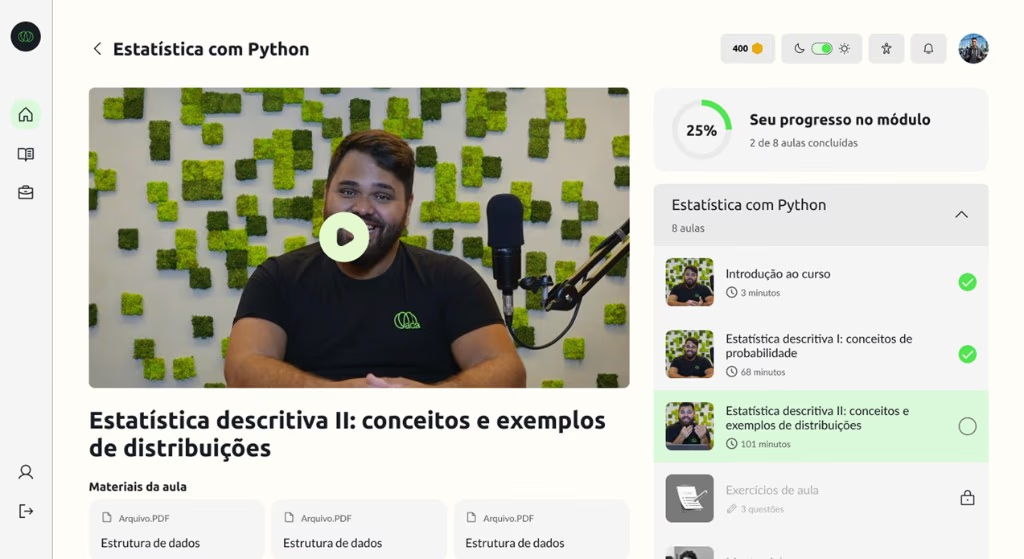
A few habits separate a video that lifts activation from one that just exists.
Script for one action
Each clip should drive a single next step, and it should be obvious what that step is. Open with the outcome the user wants, show the shortest path to it, and end by pointing at the exact button or link. A video that tries to cover everything teaches nothing, and it’s also harder to measure, since you can’t tell which part worked.
Keep it short
Length is its own habit: a welcome works in 30 to 60 seconds, a walkthrough in two to three minutes, a rescue clip often under a minute. When a walkthrough keeps growing, that’s usually a sign the underlying flow has too many steps, and the video is quietly doing work the product should do itself.
Put it where the work happens
A clip only helps if the user meets it at the right moment. Embed the welcome on the first screen after sign-up, the setup guide inside the setup flow, the rescue clip at the point people get stuck. Onboarding emails and your help center are good secondary homes, but the in-product placement is what catches users before they quit.
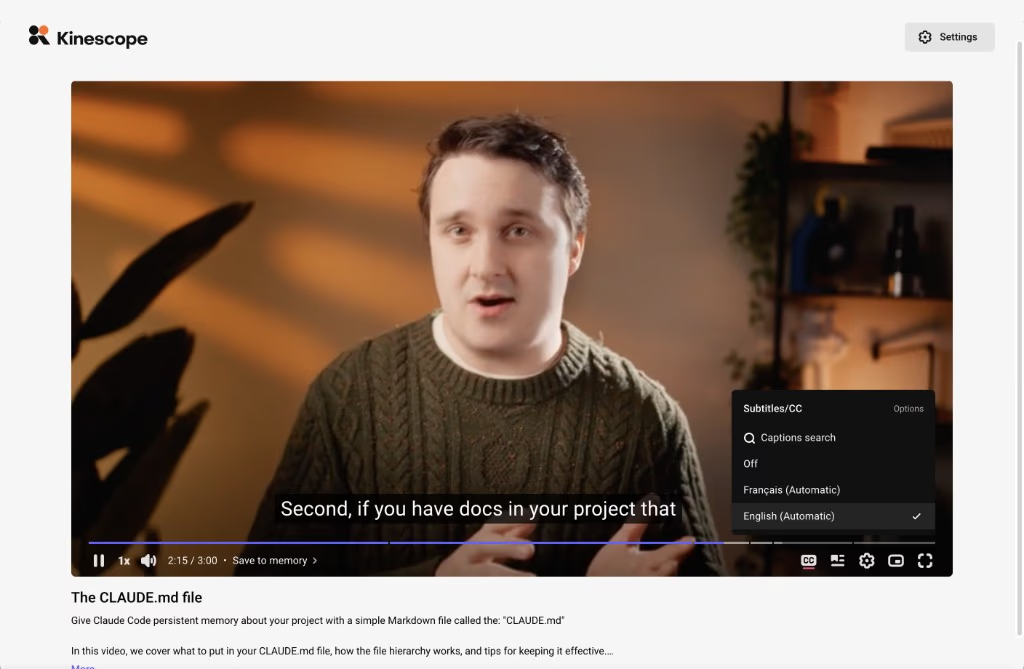
Add captions, since a large share of first views happen with the sound off, and subtitles also open the content to users in other languages.
Measuring whether it works
The advantage of video over a written walkthrough is that you can watch how people use it. Treat every onboarding clip as an experiment with a number attached, and revisit it as the data comes in.
The metrics that matter
Three signals tell you most of what you need. Completion rate shows whether the clip holds attention to the end. The watch-depth curve, sometimes called a retention graph, shows the exact second people leave, which usually points at a confusing moment in the video or the product. And the one that matters most is correlation with activation: do users who watch reach their first win more often than users who don’t? If yes, the clip is doing its job.
Reading a drop-off curve
A steep cliff early means the intro is too slow or the promise is unclear. A gradual slide means the clip is simply too long. A drop right after a specific instruction often means that step is confusing on screen, which is a cue to re-record that section or fix the flow it describes.
Once you can read the curve, the loop is short: change one thing, whether the intro, a single step, or the length, ship it, and compare the next cohort’s completion and activation against the last. Because the clip runs on every new signup, even a small lift compounds across accounts, so it’s worth re-checking the curve a month after any product change that moves the screens the video points to.
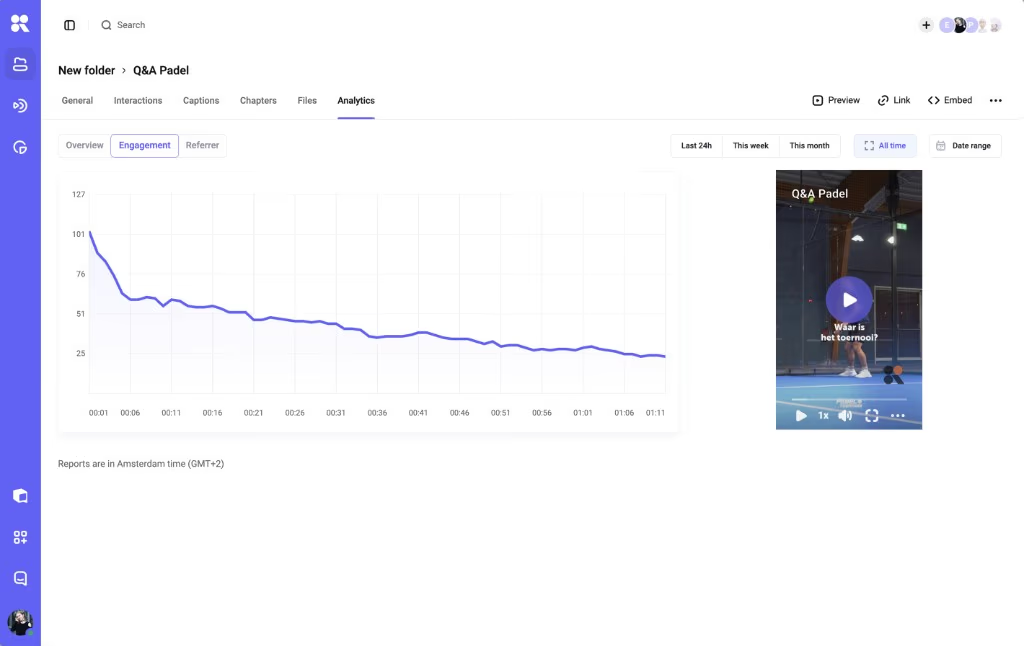
This is where hosting with real analytics earns its keep: Kinescope’s analytics report views, player loads, watch depth, geography, and platforms, and export to CSV or XLSX so you can join video data to your own activation events, the watchability-to-retention link that SaaS teams build on.
Hosting onboarding video
Where you host these clips decides how much control and insight you get, and it’s an easy thing to get wrong by defaulting to a public platform.
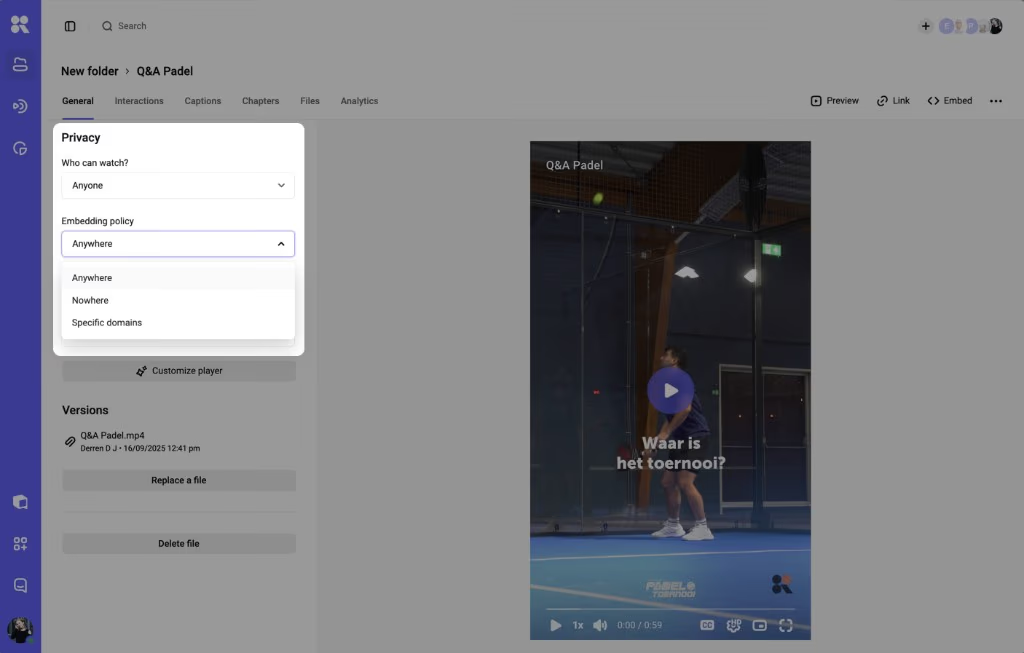
The requirements for onboarding are specific. The player should be clean and ad-free, since a recommended-video sidebar at the “aha” moment sends users somewhere other than your product. It has to embed anywhere you need it, including inside your own app. You want control over who can see each video, and per-video analytics detailed enough to read a drop-off curve.
If your product has mobile apps, you’ll also want native playback inside them, which in practice means the host provides mobile SDKs for iOS and Android. Those are the criteria to weigh, whatever host you pick.
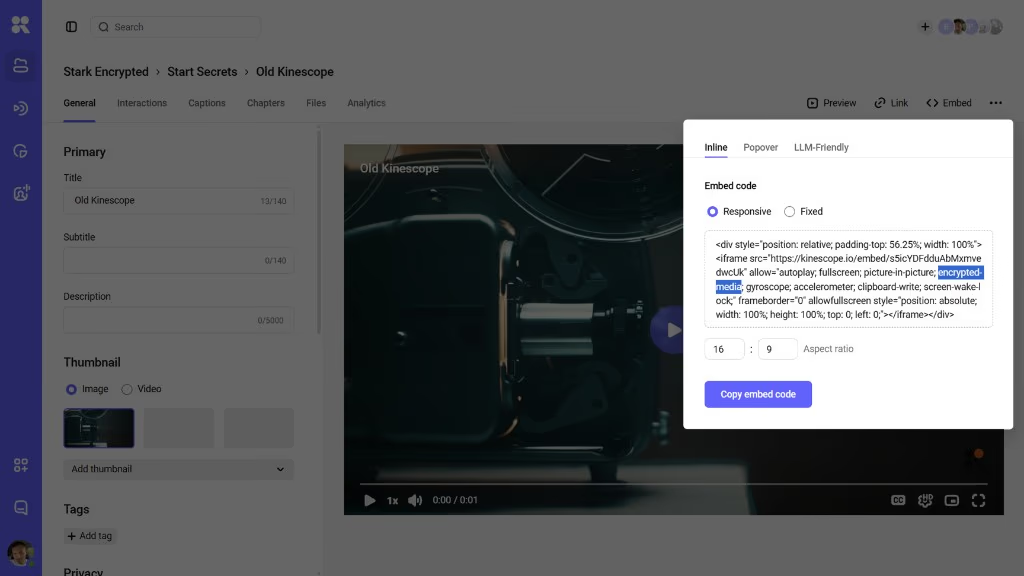
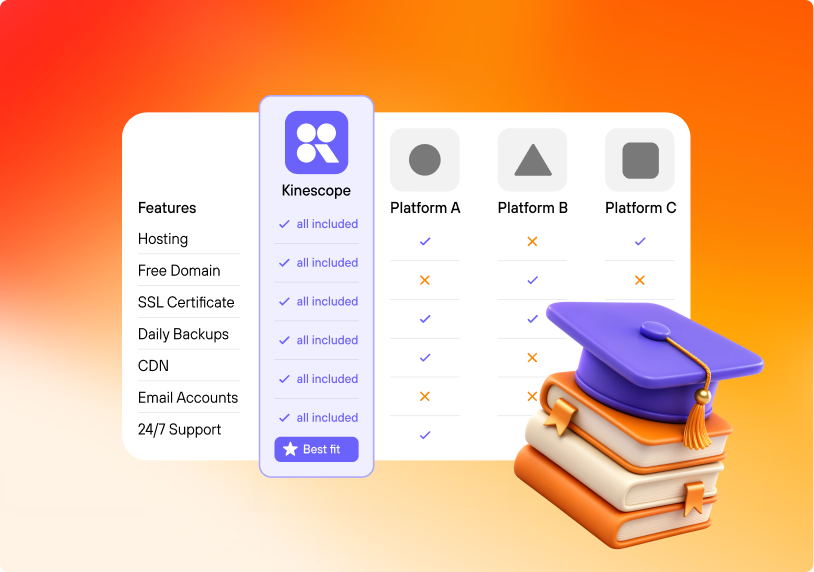
Kinescope is one option that lines up with that list: an ad-free, branded player you can embed on any page or inside an app, with per-video watch-depth analytics, CTA buttons, chapter markers, subtitles in 90+ languages, and access and domain controls, hosted in the EU under GDPR.
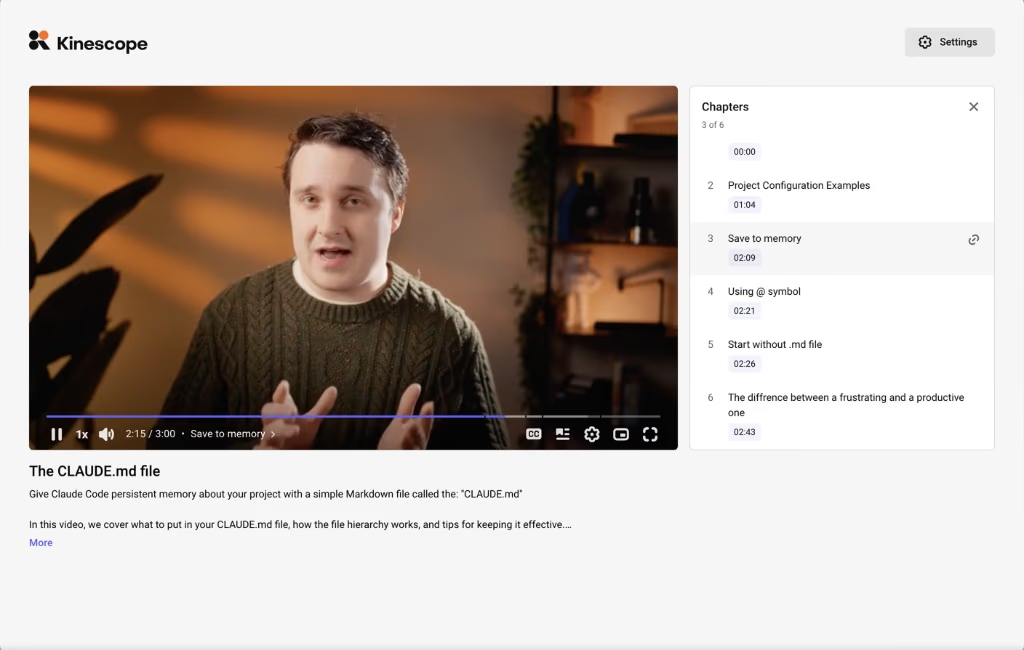
Two limits are worth naming so the picture is honest: the CTA is a single button, so true interactivity (a branching, in-video quiz) means adding an authoring tool alongside the host; and pricing is usage-based from €10 a month, a monthly minimum that already covers your usage up to that amount.
For a fuller publish-and-measure checklist of what to look for in a host, our guide to choosing video hosting goes deeper, and the secure hosting guide covers the access-control side.
Treat the first clip as an experiment
You don’t need a whole library to start. Take one clip, the welcome, put it where new users first land, and read the drop-off curve to see what to change next. A single clip you measure teaches you more than a batch shipped and never looked at again, and the same holds for a confidential internal welcome. The publish-and-measure checklist covers where to place each clip, how to lock down anything sensitive, and which numbers to watch; Kinescope’s free plan is enough to host and track that first experiment.