Video upload API: four ways to get a file into your library




Ship the upload today
Key takeaways
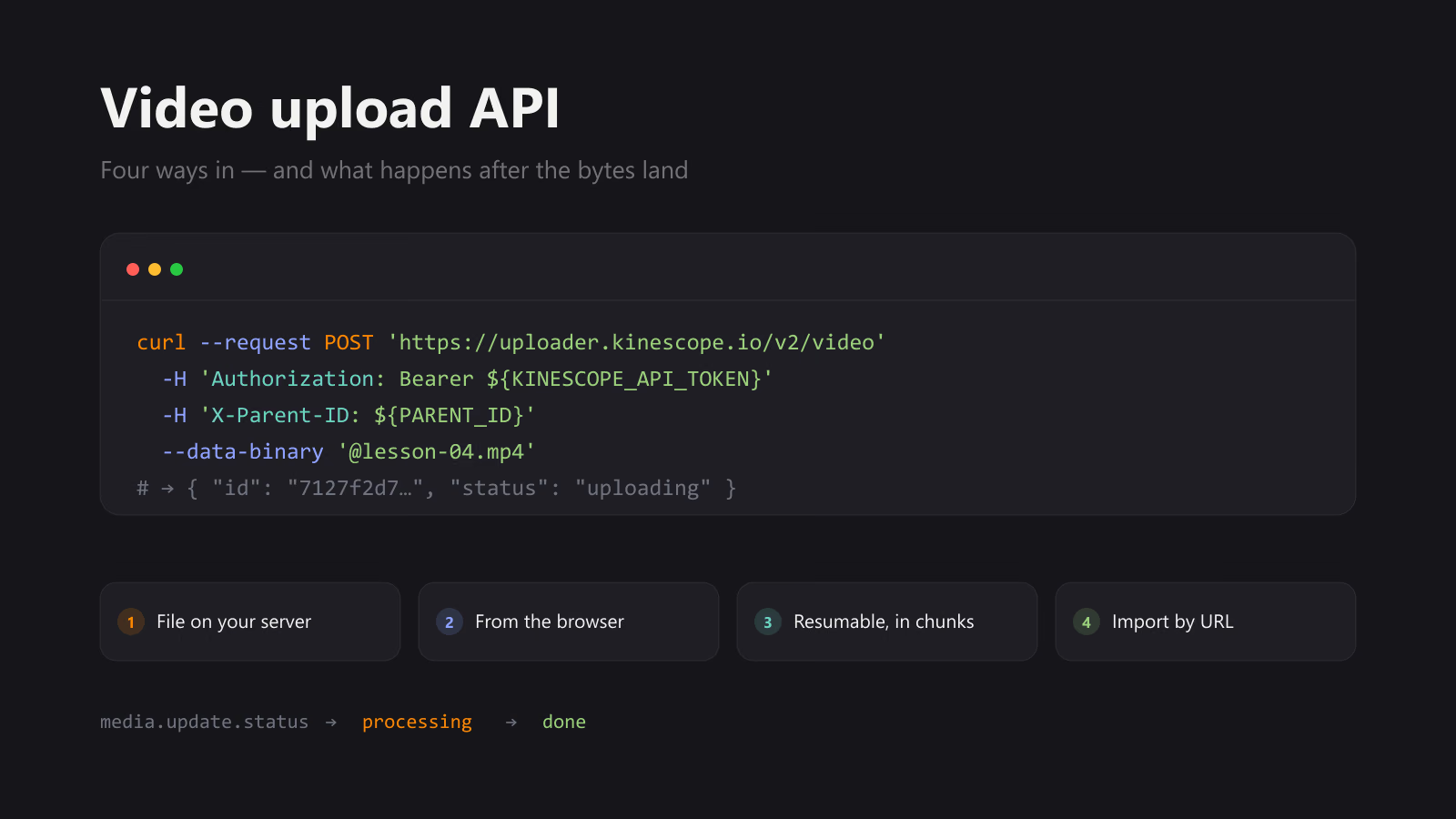
- Kinescope takes a video four ways: one request with the file in the body, a one-off upload link your backend hands to the browser, that same link driven in chunks over the Tus protocol, and an import from a URL — including a YouTube link.
- The choice is mostly about where the file sits and who is allowed to hold your API token. The token belongs on your server;
/v2/initexists so the browser never sees it. - Uploading is not publishing. The call returns once the bytes land; the video becomes playable later, and the
media.update.statuswebhook is how you find out. - Access tokens are scoped. An upload-only token bound to one project is a different object from your read-write API token, and client applications should only ever get the former.
The four paths, side by side
Every integration question about video upload — how do I send a file, how do I not leak my key, what happens with a 3 GB master, how do I move a back catalogue — resolves to one of four request shapes. Switch between them here and watch the call, the order of the steps and the statuses change:
Upload API lab
Pick the shape of your integration. The request, the order of the calls and the webhooks you will receive all change with it. Nothing is sent anywhere — this builds the code, it does not run it.
Then the status changes, and you hear about it
The upload call returns as soon as the bytes are accepted — not when the video is playable. Readiness arrives as a media.update.status webhook. Click a status to see the payload.
The rest of this article is those four paths in detail, then the part everybody forgets: what happens after the upload call returns.
Path 1 — one request from your server
If the file is already on a machine you control, this is the whole integration. Metadata goes in the headers, the file goes in the body:
POST https://uploader.kinescope.io/v2/video| Header | Required | What it does |
|---|---|---|
Authorization | yes | Bearer plus your API token. |
X-Parent-ID | yes | Project or folder the video lands in. |
X-Video-Title | yes | Title in the library. |
X-Video-Description | no | Description. |
X-File-Name | no | Original file name, informational. |
X-Replace-Video-ID | no | Replace an existing video instead of creating one — the ID and the embed stay the same. |
X-Video-Trim | no | Trim on ingest, in seconds. Without length it cuts from start to the end. |
None of this works without a parent_id. It comes from two calls on api.kinescope.io — list your projects, then the folders inside the one you want:
curl 'https://api.kinescope.io/v1/projects' \
  -H 'Authorization: Bearer ${KINESCOPE_API_TOKEN}'

curl 'https://api.kinescope.io/v1/projects/${PROJECT_ID}/folders' \
  -H 'Authorization: Bearer ${KINESCOPE_API_TOKEN}'
Either ID works as parent_id. Pick one, put it in config, and never look it up again at runtime.
The catch: one request means one connection. A dropped connection halfway through a 3 GB master is a 3 GB retry. That is what path 3 is for.
Path 2 — let the browser upload without handing it your token
The instinct is to proxy: the browser posts to your server, your server forwards to Kinescope. It works, and it means every uploaded byte crosses your infrastructure twice and occupies a worker for the length of the upload.
The alternative is a one-off endpoint. Your backend calls /v2/init with the token and gets back a URL that is good for exactly this upload:
POST https://uploader.kinescope.io/v2/init| Field | Type | Notes |
|---|---|---|
type | string | Required. video, attachment or replace. |
parent_id | uuid | Required for video. Project or folder. |
title | string | Required for video. |
filesize | int | Bytes. Required for Tus, and what progress is measured against. |
filename | string | Informational. |
client_ip | string | The end user’s IP — it selects the nearest upload server. |
preview | object | Ask for a short MP4 preview clip, served at kinescope.io/{video_id}/preview. |
The response carries the video ID and the endpoint to upload to:
{
  "data": {
    "id": "7127f2d7-0e96-40d0-9a03-2e987c096466",
    "endpoint": "https://eu-ams-uploader-1.kinescope.io/v2/upload/0966958f-638b-4aab-bf4a-7f9860a57a93"
  }
}
Note the hostname: the endpoint is not the generic uploader, it is a regional one chosen for that client. Pass it to the browser, and the file goes straight there. Your server handled one small JSON call and never saw a byte of video.
Path 3 — large files that survive a dropped connection
Tus is an open resumable-upload protocol, and the endpoint from /v2/init speaks it. The flow is four steps:
- The browser sends file metadata — name and size, no bytes — to your backend.
- Your backend calls
/v2/initand receives the endpoint. - Your backend returns it: either
201with aLocationheader, or200with{ "endpoint": … }in JSON. - The browser uploads to that endpoint in chunks: each
PATCHis answered with204and anUpload-Offset, and that offset is where a retry resumes.
If you go the Location route, the header has to be readable cross-origin — Access-Control-Expose-Headers: Location — or the client will see a successful response with nothing in it. It is the most common way this integration fails on the first try.
On the client, tus-js-client does the chunking, the retries and the progress events. Drag the chunk slider in the lab above to see how a file splits: the number in the comment is the count of PATCH requests a resumed upload can skip.
Path 4 — let Kinescope fetch the file
When the file is already reachable on the internet, you do not have to move it yourself. One header — X-Video-URL — with a direct link or a YouTube URL, and Kinescope downloads it.
This is the path for migrations. A CSV with url and title columns and a while loop around curl will move a back catalogue without a single line of application code; the upload guide ships a bash script that does exactly that.
It is also the one path where the first status you see is pending: the request returns before anything has been downloaded, and a bad link surfaces later as an error status with the HTTP code in data.message, not as a failed API call.
Which path to pick
| Situation | Path | Why |
|---|---|---|
| File on your server, moderate size | Single request | One call, no coordination. |
| Users upload from your web app | /v2/init + direct POST | Token stays server-side; traffic bypasses you. |
| Masters, long recordings, flaky networks | /v2/init + Tus | Resume instead of restart. |
| Migration from another platform or YouTube | X-Video-URL | No bytes on your side at all. |
| Re-encode or swap a video already embedded | X-Replace-Video-ID | The ID and every existing embed survive. |
Tokens: what to hand out, what to keep
Access tokens are created through POST /v1/access-tokens and the value is shown once. What matters for uploads is the scope: a token can carry api permissions (read, write, delete) and, separately, upload permissions, and the upload scope can be bound to specific entities — a single project, for example.
So an integration that only ships files gets a token that only uploads, and only into the project you named. It cannot list your library or delete anything. That is a different object from the read-write token your backoffice uses, and the two should not be the same string in the same env file.
The rule the docs state plainly and that is worth repeating: the Kinescope token must not reach the frontend. If a token is in a bundle, it is public — path 2 exists precisely so you do not have to put it there.
Uploading is not publishing
This is where most first integrations get it wrong. The upload call returns a video object almost immediately, and it is tempting to treat that as success and show the player. At that moment the video has a status, and it is not done.
| Status | What it means |
|---|---|
pending | Queued — typical first state for a URL import. |
uploading | Bytes are arriving. |
pre-processing | The file is checked and prepared. |
processing | Renditions are being transcoded; progress climbs toward 100. |
done | Playable. play_link, embed_link and hls_link are filled in. |
aborted | Processing was stopped. |
suspended | Upload or processing is paused. |
error | It failed; data.message says why. |
You can poll GET /v1/videos/{video_id} for this, and for a one-off script that is fine. For a product, subscribe instead.
The webhook you actually need
Create one with POST /v1/webhooks, subscribing to media.update.status. The body takes the endpoint and, optionally, HTTP Basic credentials that Kinescope will send with each call — which is how you keep a public endpoint from accepting forged events:
{
  "name": "prod",
  "endpoint": "https://example.io/kinescope/webhook",
  "login": "",
  "password": "",
  "events": ["media.update.status"]
}
The payload is small on purpose — an ID and a status, plus a message when something broke:
{
  "event": "media.update.status",
  "data": {
    "id": "7127f2d7-0e96-40d0-9a03-2e987c096466",
    "status": "done"
  }
}
Treat it as a signal, not as data: look the video up by ID when you need the assets, the duration or the links. And because status can arrive more than once and out of order, the handler should be idempotent — store the latest status against the ID rather than stepping a state machine forward blindly.
Live streams have their own events on the same mechanism — live.created, live.connected, live.disconnected, live.finished, live.cancelled, live.enabled. The interesting one is live.finished: it carries video_id of the recording, which is how you wire “the stream ended, publish the replay” without polling anything.
The bits you will want on day two
Thumbnails need no API call
Posters are addressable by video ID alone, so a list view can be built without touching the API. These four are the live poster of the demo video on our developer hub, at every size the CDN serves:

xs120×67 · 3 KBtable row, avatar

sm640×359 · 35 KBcard in a list

md1280×719 · 101 KBhero on a page

lg1618×910 · 155 KBfull-width cover
The pattern is kinescope.io/{video_id}/poster/{size}.webp, with .jpg available too, and kinescope.io/{video_id}/poster.jpg for the full-size original. Pick the size by slot: a table row does not need the 155 KB one.
Preview clips for hover
The short loop that plays when a cursor rests on a catalogue card is a separate asset, and you ask for it at upload time rather than generating it yourself:
{
  "type": "video",
  "parent_id": "e51e55a1-7615-493e-9055-10ac9cc44ccd",
  "title": "Lesson 4",
  "preview": {
    "start": 0,
    "length": 5,
    "quality": "720p"
  }
}
The resulting MP4 is served at kinescope.io/{video_id}/preview. Videos uploaded without that parameter do not have one — it is decided at init, not later.
What this replaces
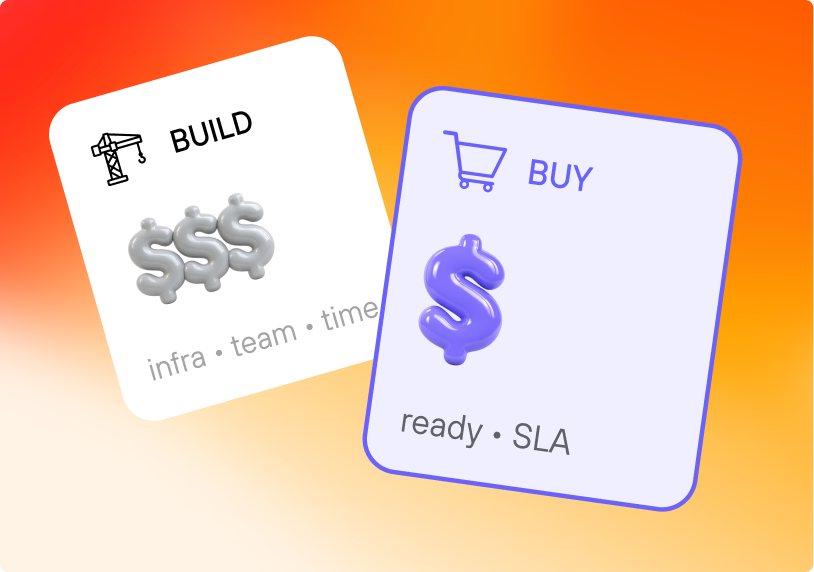
Worth naming what these four calls stand in for, because it is the actual comparison: an upload service that can resume, a transcoding farm that produces a rendition ladder, storage for every variant, a CDN in front of it, a DRM licence service if the content is paid, and a player that adapts to the viewer’s connection. Uploading is the visible part; the rest of it is why the file becomes playable at all.
And once a video reaches done, playback stops being your problem: the same ID goes into an embed or into one of the open-source player SDKs.
If you are weighing that trade-off rather than implementing it, the numbers are in build versus buy for video streaming. If you have decided and want the rest of the surface — SDKs, the MCP server for AI assistants, a live Player API demo — that lives in the developer hub.