Kinescope for Moodle
Kinescope hosts your course videos and plays them inside Moodle. Install the media_kinescope plugin once, then paste a video link into a course description, assignment or page, and Moodle shows the Kinescope player.
They left Vimeo, Kaltura and Mux
Every number is what they saved against the platform they left.
 16 TBmoved off Kaltura in about two weeksWith Kinescope we get a convenient API, a human touch, stable performance, and fair prices. We worked out the cost up front, and on our volumes it came out about 8× cheaper than Kaltura
 Denis Korovkin, LMS team lead
 −75%off the video hosting bill after Vimeo
 5×lower video costs than on Vimeo
 €10,000+a year saved against Vimeo’s quoteVimeo suddenly told us we had to pay 20× more. With Kinescope we save at least €10,000 a year — and get more stability for free…
 Mathijs de Ruiter, Co-founder
 −60%off the video hosting bill after MuxKinescope’s affordable, scalable, and accessible video solution has been a game-changer, empowering us to deliver world-class education…
 Eriky Kunitake, Head of Business & Operations
 9M+children reached by the films…reinvest our resources into other matters, like the direct work with children in our shelter…
 Ysrael C. Diloy, Child Protection Specialist
Add a video to a Moodle course

1. Download the ZIP from the media_kinescope page on Moodle.org and extract it on the server to /path/to/moodle/media/player/kinescope.
2. Sign in to Moodle as an administrator and open site administration: Moodle finds the new plugin and offers to finish the install.
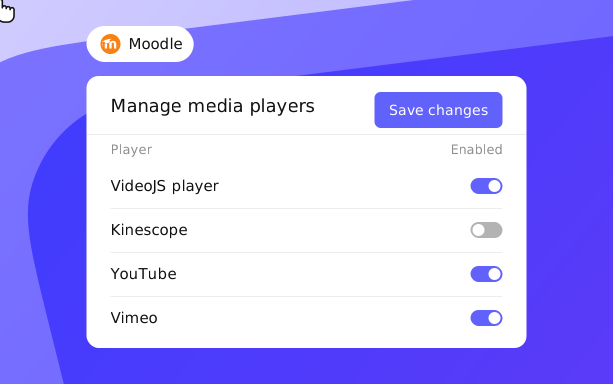
3. Go to Site administration → Plugins → Manage media players, turn on Kinescope and save changes.
1. In Kinescope, copy the link to a specific video, not a folder or a project: https://kinescope.io/VIDEOID.
2. Paste it into the text editor of a course description, assignment, page or another activity.
3. Save: Moodle replaces the link with the Kinescope player.
What your Moodle videos get
Video inside the course
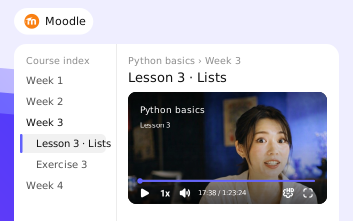
Students watch the lesson where the course is: in the description, the assignment or the page, without leaving Moodle.
Plays only on your Moodle
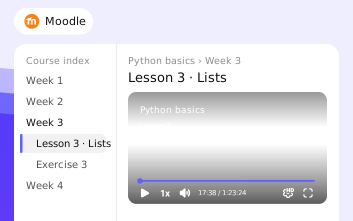
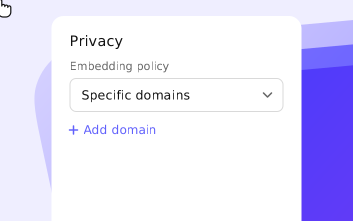
Turn on domain restriction in the video settings and add your Moodle address: a copied link or embed shows a blocked player anywhere else. More on private video hosting.
Protected lessons
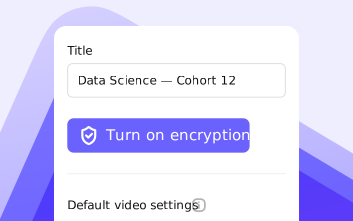
DRM and watermarks from your Kinescope settings work inside Moodle too. DRM is available on paid plans. More on DRM video hosting.
Put your first lesson in Moodle for free
Upload a video to Kinescope, paste the link into a Moodle page, and students watch it in the Kinescope player. No credit card required.
FAQ
Can’t find the answer you need? Check out our Setup guide.
Give your Moodle courses a proper video player.
Free to start, then from €10/month. No credit card required.