Kinescope for Zoom
Stream Zoom meetings and webinars through the Kinescope player over RTMP, and have new Zoom cloud recordings land in your Kinescope library automatically, with your privacy settings, player and analytics.
They left Vimeo, Kaltura and Mux
Every number is what they saved against the platform they left.
 16 TBmoved off Kaltura in about two weeksWith Kinescope we get a convenient API, a human touch, stable performance, and fair prices. We worked out the cost up front, and on our volumes it came out about 8× cheaper than Kaltura
 Denis Korovkin, LMS team lead
 −75%off the video hosting bill after Vimeo
 5×lower video costs than on Vimeo
 €10,000+a year saved against Vimeo’s quoteVimeo suddenly told us we had to pay 20× more. With Kinescope we save at least €10,000 a year — and get more stability for free…
 Mathijs de Ruiter, Co-founder
 −60%off the video hosting bill after MuxKinescope’s affordable, scalable, and accessible video solution has been a game-changer, empowering us to deliver world-class education…
 Eriky Kunitake, Head of Business & Operations
 9M+children reached by the films…reinvest our resources into other matters, like the direct work with children in our shelter…
 Ysrael C. Diloy, Child Protection Specialist
Live streams and recordings
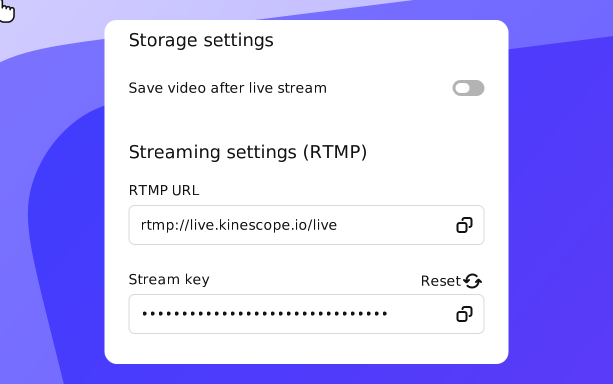
1. In Kinescope, create a live stream and copy its RTMP URL and Stream key.
2. In the Zoom web portal, schedule the meeting, open the Live Streaming tab and choose Configure Custom Streaming Service.
3. Paste the RTMP URL, the Stream key and the Kinescope livestream link as the Live Streaming Page URL, pick 720p or 1080p and save.
4. In the meeting, click More → Livestream → Live on Custom Streaming Service.
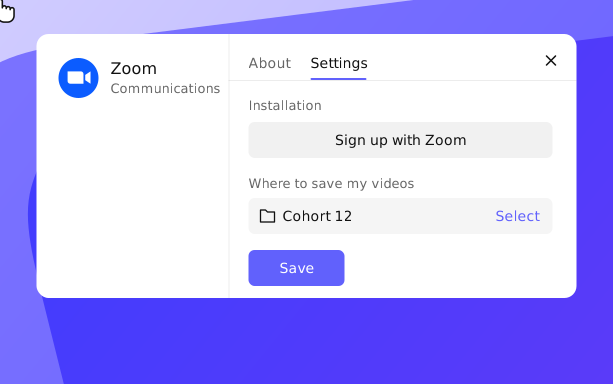
1. In Kinescope integrations, choose Zoom and log in to Zoom via Kinescope.
2. Choose the project or folder for call recordings, and set privacy, player and analytics.
3. New Zoom cloud recordings upload automatically. Recordings made before the setup can be imported too.
What your meetings get
Your player, your page
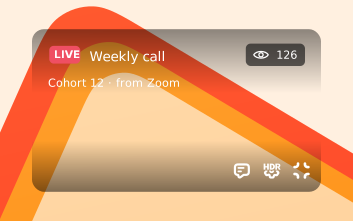
Viewers watch the meeting in the Kinescope player, and you collect view analytics. More on live streaming.
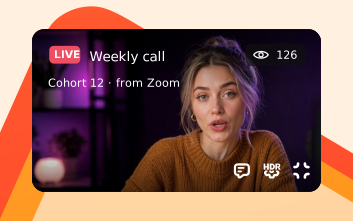
Recordings land on their own
New cloud recordings upload to the folder you pick, with your privacy and player settings.

Recordings stay private
Domain restriction and the rest of your privacy settings apply to every imported recording. More on private video hosting.
Stream your next Zoom meeting through Kinescope
Create a Kinescope account, connect Zoom and pick a folder for recordings. No credit card required.
FAQ
Can’t find the answer you need? Check out our Full setup, usage and removal guide.
Give your Zoom meetings a life after the call.
Free to start, then from €10/month. No credit card required.