On-demand webinar replay: hosting, access and analytics





After a live webinar, the recording can continue doing the work the event was created for. A product demonstration, for example, can help someone evaluate an offer weeks after the presenter delivered it. Making any video available on demand gives each new viewer a way to watch when the subject becomes relevant to them, without waiting for the next event.
In this guide, we’ll explain how to host webinar replays, from choosing a hosting service and using automated recording to managing viewer access and measuring how much people watch.
Key takeaways
- A replay can stay with your webinar service when its viewing page and access options suit the audience. Moving it to another host should solve a specific problem with editing, branding or access.
- Automatic recording preserves time-limited offers and references to live interactions. Preparing the replay means updating those offers and making the resources available to people watching later.
- Selling a replay also means deciding how each buyer gets access, whether that access can be shared and when it ends. Those decisions determine which access controls are needed.
- Two audiences can have the same average watch time and very different completion rates. Measuring completion requires a defined viewing threshold and records for each viewer.
Where to host webinar replays
Someone catching up on a free presentation may only need a link in the follow-up email, while buyers of a workshop may expect the recording alongside their other lessons. The hosting choice depends on where they will watch and how they will gain access.
A replay can stay with the service used for the live webinar or move to a separate video host when the existing service cannot provide the editing, branding or access options you need. In Zoom and Demio, viewers can watch recordings on the service’s own replay pages. Kinescope covers both routes: it hosts live webinars and their replays, and accepts recordings made elsewhere.
| Service | Recording and replay | Where viewers watch |
|---|---|---|
| Zoom | An eligible on-demand webinar becomes a cloud recording with continued registration | Zoom’s recording page after registration |
| Demio | A live session becomes a replay; an on-demand event adds registration on a supported plan | A shared replay page or an on-demand event page |
| Kinescope | A live webinar can be saved in the video catalog; recordings from elsewhere can also be uploaded or imported | A white-label viewing page or an embedded player on your website |
Zoom’s on-demand webinar feature keeps registration open after the event, giving later registrants access to the cloud recording. With a licensed user, the Webinars add-on, registration and automatic cloud recording, a free webinar can continue accepting viewers without moving the file. Paid access is a separate consideration: on-demand recording registration does not support Zoom’s PayPal integration at the moment.
In Demio, a finished recording has a replay page that can be shared by link. Sharing that page is enough when viewers can go straight to the video. On the Growth plan or higher, the recording can also become an on-demand event with registration.
Kinescope combines live streaming with webinar recording hosting, so the broadcast, basic post-production and later viewing can stay within one platform. With our platform, the replay can have a white-label viewing page with a player and your logo in place of ours. The player can also be embedded in an existing website, with customizable colours and branding. If the live session is still ahead, the live streaming checklist covers encoder settings, viewer caps and a backup stream.
Recording and preparing the replay
All three platforms support automatic recording, while their editing and publishing tools shape how the recording can be prepared for on-demand viewing.
- Zoom’s on-demand webinars start cloud recording automatically when the event begins. Once processing finishes, the recording is available through Zoom’s replay workflow.
- Demio automatically records every live session from start to finish, including the audio, video, shared screens and presentation materials. The replay preserves the layout used during the event, so the way speakers and materials appear on screen also shapes the saved video.
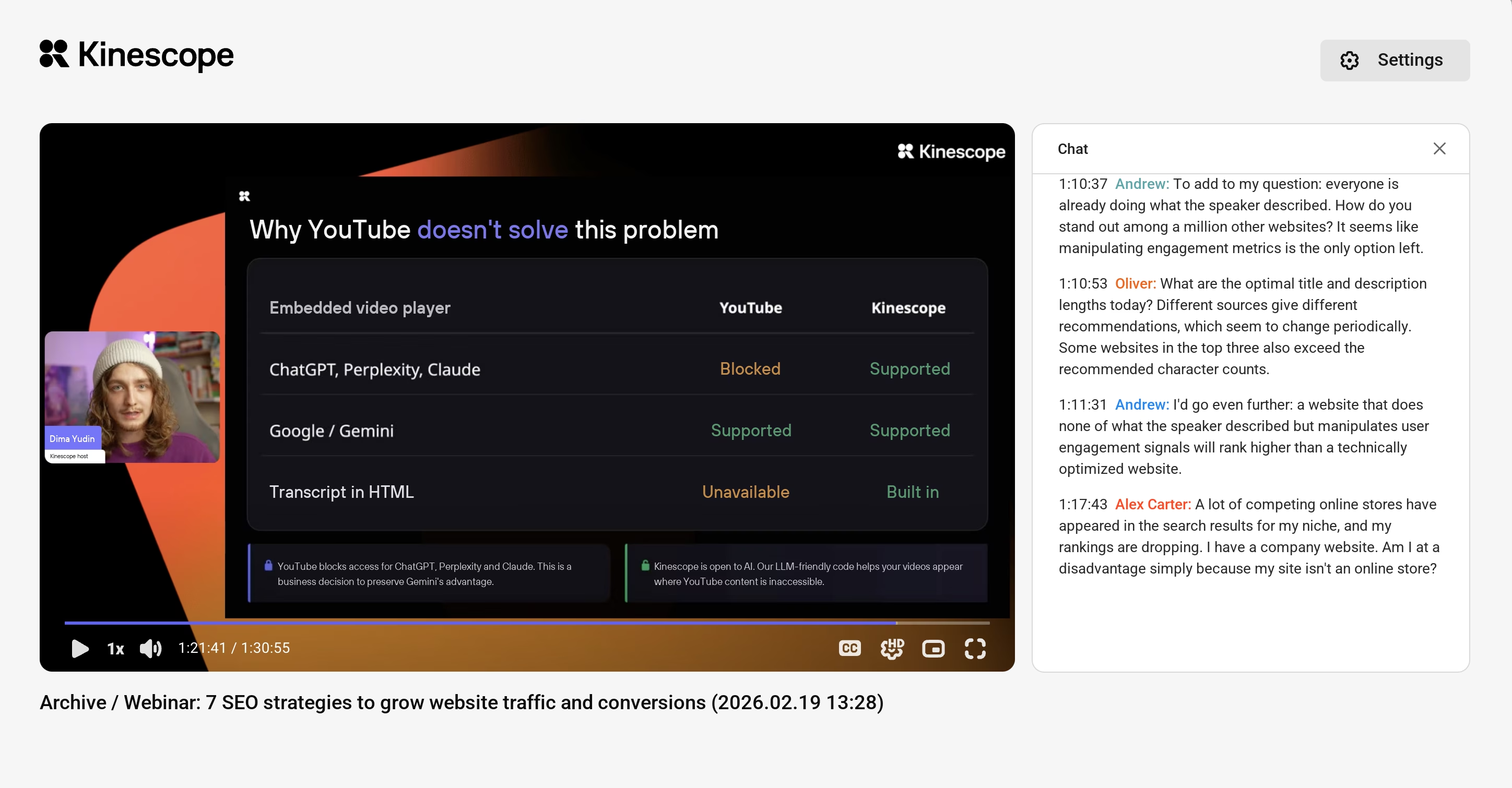
- Kinescope can automatically save live streams to the video catalog when recording is enabled. The chat can also be saved in sync with the video and, if needed, embedded alongside the replay.
If the event takes place in Zoom but the recording will be hosted in Kinescope, automatic cloud-recording import handles the transfer, but Zoom Pro with cloud-recording access is required. Once connected, the integration imports all new cloud recordings into the chosen Kinescope project or folder, including internal meetings recorded on that account. For occasional recordings, a manual upload is another option.
Waiting time, digressions and offers limited to live attendees may need to come out of the replay. Kinescope’s built-in editor can trim the beginning and end or cut passages from the middle in the browser. Removing an expired discount or updating a promised bonus keeps the recording consistent with what later viewers can receive.
Long replays are easier to revisit when chapters lead to specific demonstrations. Kinescope can generate editable chapter titles and timecodes, as well as subtitles for recordings in 90+ languages. Those subtitles can make the replay usable without sound, and their text can be corrected before publication. Demio also allows transcript corrections on Premium or higher.
For resources offered during the live session, the replay page can hold the links viewers will need later. Our clickable banners do not appear in the recording, so a link from a banner may need to be added there. Demio’s replay-page editor supports changes to the title, description and call-to-action, allowing that surrounding information to be updated for later viewers.
How to manage replay access
Basic access methods
For a lead-generation webinar, a form collects contact details and gives the visitor a way to reach the replay. On your own website, that can mean opening the video page after submission or using a connected email tool to send the viewing link. Registration can also limit access to approved viewers. Zoom, for example, can hold an on-demand recording request for the organizer’s approval before granting access.
A private link or password can provide a simple way to share a replay with a selected group. Both can be passed on, so these methods rely on recipients keeping access details private. For an internal webinar, access can be limited to company email addresses. With this restriction enabled in Kinescope, viewers receive a code at their work address and enter it to watch the replay.
For an embedded replay, domain restrictions specify which websites may display the player. Our video protection guide explains how embedding rules and viewer access checks can be used together.
Access and protection for paid replays
When a course or membership site already manages purchases, the replay can be embedded in the page buyers already use. However, a video link that opens without checking the viewer’s permissions could still be forwarded to someone who has not paid.
For a small paid event without customer accounts, the organizer can send each buyer a unique access code after confirming payment. Kinescope can limit how many times a code is activated and how many people use it at once, so a forwarded code does not give unlimited access. Codes can also expire on a date chosen by the organizer.
Some membership sites need playback to follow changes in a viewer’s purchase or subscription. A developer can connect the video host to the site’s authorization service, as Kinescope’s backend authorization allows. The site can then refuse new playback after a refund or subscription expiry, even if the viewer keeps the link.
Even a viewer with legitimate access can try to copy the recording. To make copying harder, digital rights management (DRM) encrypts the media and requires a licence to decrypt it for playback. See the multi-DRM guide for explanation of how browser and device support affects viewing.
An unrestricted original-file link would bypass that protection by giving recipients a downloadable copy. Keeping the original private preserves the benefit of protected video hosting, although no playback system can prevent someone filming the display with another camera.
How to measure webinar replay completion
How much viewing counts as success depends on the replay’s purpose. In a reference library, jumping straight to one chapter may give someone everything they came for. Required training may call for evidence that learners watched the whole explanation, which takes more detailed reporting than a count of playback starts.
Opening a replay page can load the player before any video starts. Refreshing the page adds another player load. In Kinescope, a view is counted only after five seconds of continuous playback, so those loads alone do not register as views.
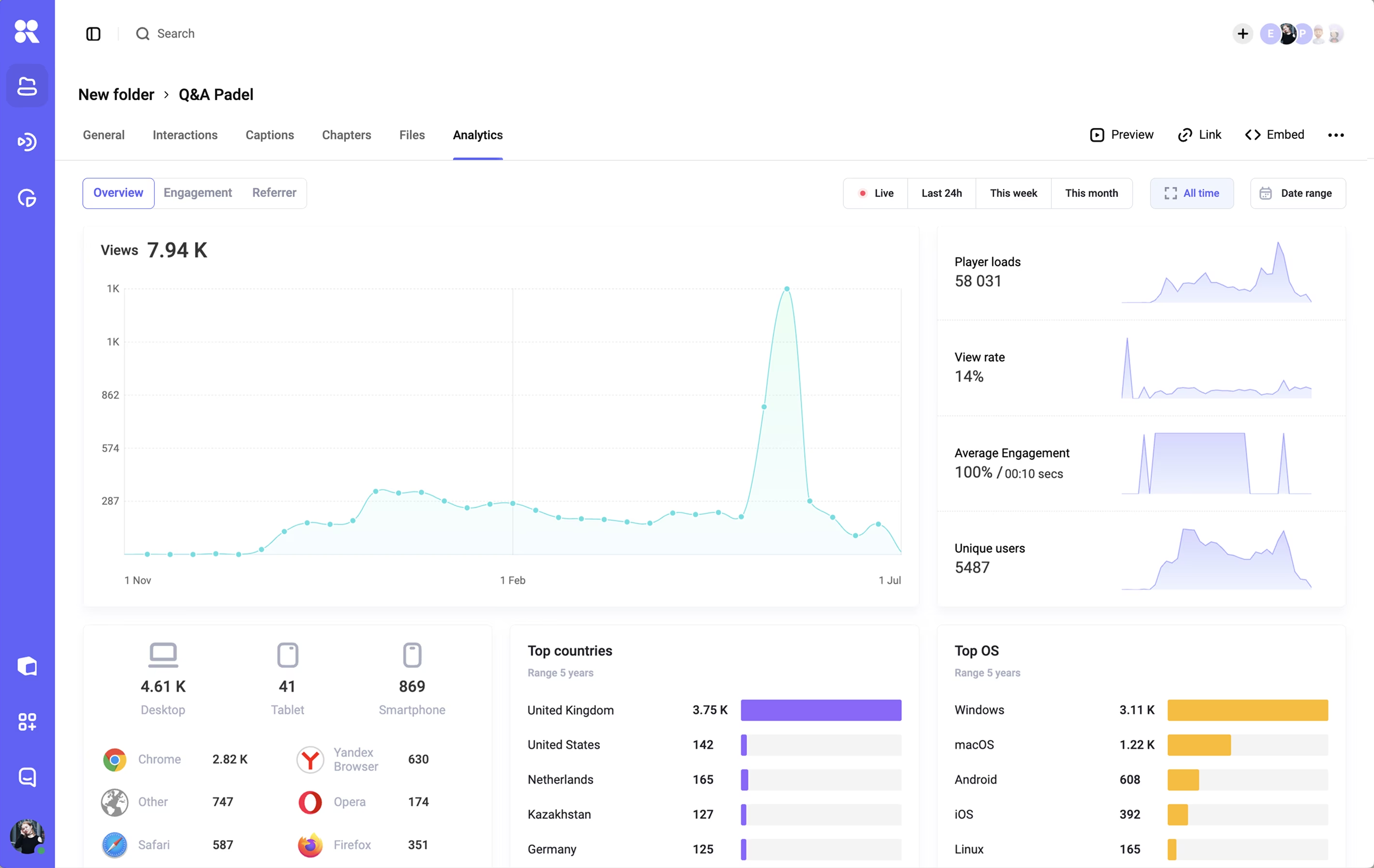
Kinescope’s watch-depth metric shows average viewing time within a session, counting repeated passages once. That average combines brief visits with longer viewing, so it cannot show how many people reached a completion threshold.
Consider ten people watching a 40-minute replay in one session each. An average of 24 minutes could mean everyone watched 24 minutes, or that five watched eight minutes and five watched all 40. If completion means watching at least 90% of the material, nobody qualifies in the first audience and five qualify in the second. Both audiences have 60% average watch depth; their completion rates are 0% and 50%.
Calculating that rate means dividing viewers who meet the threshold by those who started, using the same audience and reporting period. Rewatched passages count once, and jumping to the final timestamp does not count skipped material as watched.
To apply the rule across several visits, a report needs a consistent identifier for each viewer and a record of the passages watched. A developer can collect playback events and positions through Kinescope’s programming interface (API), then use those records to calculate completion in a custom report.
For a demonstration intended to generate consultations, a submitted enquiry records a different result. It may arrive before the prospect finishes watching, so completion alone cannot show whether the offer prompted a response. Linking that enquiry to viewing history requires a shared viewer identifier across the player data and the form system. Our video engagement analytics guide explains how viewing records can inform sales follow-up.
A replay viewers can return to
Your webinar can keep inspiring viewers and bringing your ideas to new audiences long after the live event. With Kinescope, you can help viewers follow your message with captions, present it in a player that reflects your brand and add protection against unauthorized copying. Give your ideas a lasting home.