Low latency streaming: LL-HLS vs WebRTC and CMAF's role



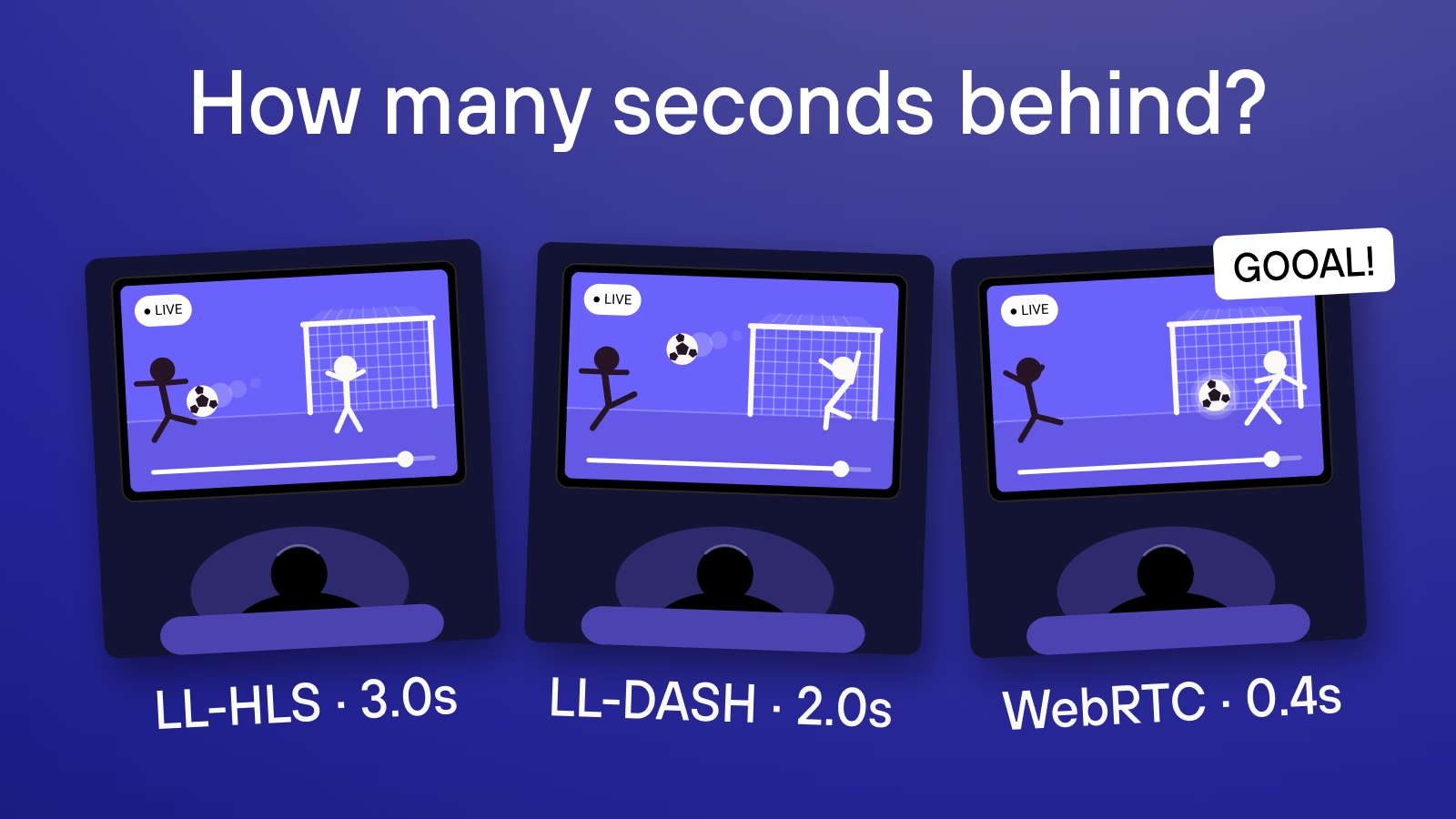

Even with enough bandwidth, a live stream can reach viewers several seconds late, because the service may be waiting to complete a short video segment, or the player may hold video in reserve against uneven delivery.
A streaming protocol sets the rules a video platform and player follow to exchange media. LL-HLS and Low-Latency DASH deliver video in small pieces over the web, while WebRTC supports live audio and video connections. Kinescope uses LL-HLS for its low-latency live streams, with video packaged in CMAF, a format that organizes it into playable chunks.
In this article, we explain how these delivery approaches affect latency and buffering, and compare browser support and delivery costs to help you choose.
Key takeaways
- LL-HLS and Low-Latency DASH suit broadcast audiences that can accept seconds of delay. They deliver new video before a full segment is complete.
- WebRTC suits spoken turn-taking and rapid responses. Serving a large audience requires capacity for many simultaneous connections.
- CMAF is a format for packaging video into playable chunks. Both HLS and DASH can use it.
Where streaming latency accumulates
Glass-to-glass latency measures the whole journey from the event in front of the camera to its appearance on the viewer’s screen. The camera first captures the picture, and an encoder compresses it into video that can travel over the internet. The encoder may also wait for later frames to improve the picture without sending more data, adding waiting to the time spent processing.
After encoding, frames are grouped into short files called segments so the player can download the stream a piece at a time. Apple’s HTTP Live Streaming (HLS) protocol organizes delivery around these files and a playlist listing their addresses. In conventional HLS, the service waits for a segment’s last frame, makes the completed file available on a web server and adds its address to the playlist — that wait delays the earlier frames.
The player then reads the playlist and requests segments using HTTP — the web’s request-and-response system. A content delivery network (CDN) supplies them from servers closer to viewers. As segments arrive, the player keeps some video in reserve to cover uneven delivery. This buffer adds another wait before the compressed video is decoded into a picture and displayed.
An AWS test published in 2018 used conventional HLS with one-second segments and a browser player. The authors filmed a clock to measure camera-to-screen delay, then used timestamps to break that total down by stage:
| Stage in the published test | Added delay |
|---|---|
| Camera capture | 0.39 s |
| Video encoding | 1.48 s |
| Packaging and upload to the service | 0.27 s |
| Distribution through the CDN | 0.17 s |
| Delivery from the CDN to the viewer | 0.28 s |
| Player buffering and display | 2.55 s |
| Total camera-to-screen delay | 5.14 s |
Encoder settings and hardware affect processing time, network conditions affect delivery, and a larger playback buffer keeps the viewer farther behind live. The delivery protocol changes when media becomes available to the player: LL-HLS and Low-Latency DASH release parts of a segment early, while WebRTC sends media as a continuous flow of packets.
LL-HLS: partial segments and playlist updates
With Low-Latency HLS (LL-HLS), the service publishes smaller parts of each segment as they become ready, adding their addresses to the playlist. For example, a four-second segment split into one-second parts lets the player download the first part while the rest is still being prepared. The player discovers those parts through the playlist. In conventional HLS, it checks periodically, so video published just after a check remains undiscovered until the next one.
LL-HLS lets the player request the next playlist update in advance. The server holds this request open until the next part is ready, then returns the playlist with its address. This mechanism, called a blocking reload, lets the player request the part without waiting for another scheduled check. The CDN must support this exchange too. If it returns an outdated playlist, the player may keep waiting to discover a part that is already available to download.
Part duration and playback margin
For LL-HLS, a useful planning range is around 2–5 seconds of camera-to-screen delay in a setup configured for low latency. Part duration and the player’s playback margin help determine the result, while slower processing or delivery can push it higher.
Each part needs a request, so shorter parts mean more frequent exchanges with the server. As part duration approaches the time those exchanges take, making parts smaller offers less room to reduce delay. Apple’s requirements recommend one-second parts. With those parts, the stream must recommend a playback position at least three seconds behind its latest published video. That gives the player time to download video ahead of what it is showing. Capture and encoding have already taken time before publication, so the total camera-to-screen delay is longer.
With a configurable player, the provider can choose a larger target delay to build more reserve. Reducing that setting toward the stream’s recommended minimum makes the player show newer video, with less time to absorb late arrivals. If a new part arrives after the buffered video runs out, playback pauses.
Browser playback
Safari has built-in HLS playback on Mac, iPhone and iPad, while Chrome, Edge and Firefox can play HLS through a player included in the web page, using a built-in library. For low latency, the chosen player needs to support partial segments and timely playlist updates. Ask the provider which browser and operating-system versions support LL-HLS, and whether other devices fall back to standard HLS with a longer delay.
CMAF and Low-Latency DASH
Like HLS, DASH (Dynamic Adaptive Streaming over HTTP) is a protocol for delivering video in segments. It describes them in a manifest, which tells the player where and when they can be downloaded. Low-Latency DASH uses that description to make an unfinished segment available early: the player starts the download while the server is still producing the video.
CMAF, the Common Media Application Format, makes this unfinished download usable by organizing encoded media into small chunks that the player can process in sequence. The server sends each chunk through the open download as it becomes ready. The CDN has to forward it promptly, since collecting the whole segment would bring back the wait that chunked delivery removes. The player still keeps a playback margin to cope with uneven delivery.
Low-Latency DASH has a similar planning range of around 2–5 seconds when the full delivery path supports low latency. Choosing between it and LL-HLS usually turns on device support and the existing delivery setup, since their latency ranges overlap. CMAF makes early delivery possible; the service and player determine the resulting delay.
Existing DASH players and device limits
Desktop Chrome, Edge and Firefox can play DASH through a compatible web player. On Apple devices, DASH support depends on the player and operating-system version. Since Safari has built-in HLS playback, services may offer HLS alongside DASH to reach those viewers. Offering both formats can also make use of CMAF.
An HLS playlist and a DASH manifest can point to the same encoded media, reducing duplicate processing and storage. This requires matching video encoding, segment boundaries and protection settings. Each player still needs to understand its delivery protocol and, for protected video, support the stream’s content protection system.
WebRTC and the subsecond target
WebRTC (Web Real-Time Communication) is a set of technologies for live audio and video connections in browsers and apps, supported by Chrome, Edge, Firefox and Safari. Encoded media travels in small packets as it is produced, so delivery can proceed without waiting for a segment and playlist. The receiver briefly buffers packets to smooth uneven arrival, then assembles and displays the picture.
WebRTC typically aims for camera-to-screen delay below one second, with tuned services reaching a few hundred milliseconds. For example, Amazon IVS Real-Time documents host-to-viewer latency that can be under 300 milliseconds, or 0.3 seconds. Capture and encoding use part of that time, leaving little room to recover missing packets. If a packet arrives after its frame was due, waiting for it would lengthen the delay. The receiver can instead conceal missing content or drop a late frame, and the sender can reduce quality to fit the connection.
More viewers, more connections
For a group call or broadcast, a media server usually receives video from each presenter and forwards it to recipients. This saves presenters from sending a separate copy to every viewer, while the server maintains each viewer’s live media connection. An HTTP CDN also sends data to every viewer, but can reuse stored segment files across their requests. A WebRTC connection may need another server along its path: if a firewall blocks direct access, a relay can carry the media through an allowed route. Capacity then has to cover both forwarding and relaying the stream.
A managed real-time provider operates that infrastructure; running your own service makes server capacity, bandwidth and reconnection handling your team’s responsibility.
LL-HLS vs WebRTC: delivery options compared
The latency ranges below are practical starting points for a delivery setup configured for low latency. Capture, encoding, network conditions and playback settings determine the camera-to-screen delay of a particular stream.
| Criterion | LL-HLS | WebRTC | Low-Latency DASH with CMAF |
|---|---|---|---|
| Typical latency range | Around 2–5 s | Usually under 1 s | Around 2–5 s |
| Delivery target | Broadcast viewing a few seconds behind live | Conversation with subsecond delay | Broadcast viewing a few seconds behind live |
| Browser support | Safari playback or a web player with LL-HLS support | Chrome, Edge, Firefox and Safari | Web player with low-latency DASH support; test Apple devices |
| Scaling | CDN distribution to many viewers | Media-server capacity for each additional viewer | CDN distribution that forwards chunks promptly |
| When delivery is late | Late parts can exhaust the playback buffer | Little time to recover missing packets | Delayed chunks can exhaust the playback buffer |
| Cost basis | GB delivered or viewing time, plus platform fees | Participant time or server and bandwidth charges | GB delivered or viewing time, plus platform fees |
Buffering and recovery
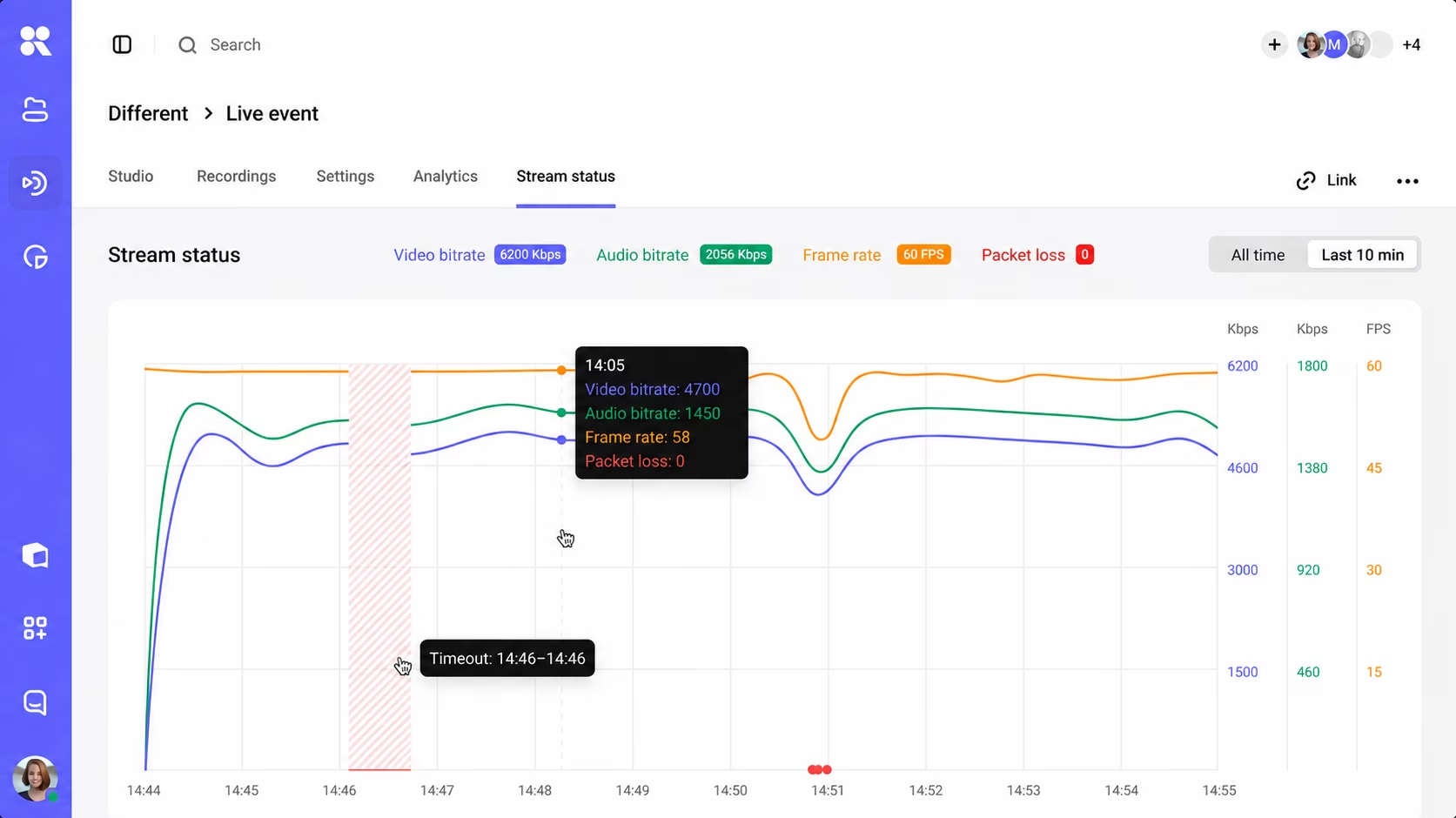
A buffer buys time. If it contains one second of playable video and delivery stops for two seconds, the player runs out of video halfway through the interruption. Keeping two seconds could bridge that gap, but the viewer would start farther behind live.
To solve this, HLS and DASH services can prepare the same video at several quality levels. The player can request a version that uses less data when downloads slow down, helping the buffer refill before playback stops. This is called adaptive quality switching, and it depends on the requested video being available. On an LL-HLS stream, parts published late or missing from an outdated playlist leave the player waiting before it can even begin the download. Those delays need attention from the provider before a lower picture quality can help.
Low-Latency DASH has another complication. During a segment download, the connection can remain open while the next chunk is still being produced. A player estimating network speed from the whole download time may count that waiting as slow delivery and choose unnecessarily low quality. Its bandwidth estimate needs to distinguish waiting for production from time spent receiving data.
If a WebRTC call freezes despite timely packet delivery, the receiving device may be struggling to decode the video. On a call with several speakers, showing fewer simultaneous video feeds or lowering picture quality reduces the processing work that device has to do.
After an interruption
The event continues while playback is stopped, so an HTTP stream can resume smoothly and still leave its viewer farther behind. The player’s recovery behavior determines what happens to that gap. Playing a little faster preserves the intervening content, but consumes buffered video faster too, so incoming data must keep up. Seeking forward brings viewers closer to live by skipping content, but whether that is acceptable depends on the event. A lecture may need to preserve an explanation in full, so playback resumes at normal speed with the delay intact, when a sports broadcast may instead skip ahead to return viewers to the current action.
Which delivery method fits your event?
Webinars with a presenter panel
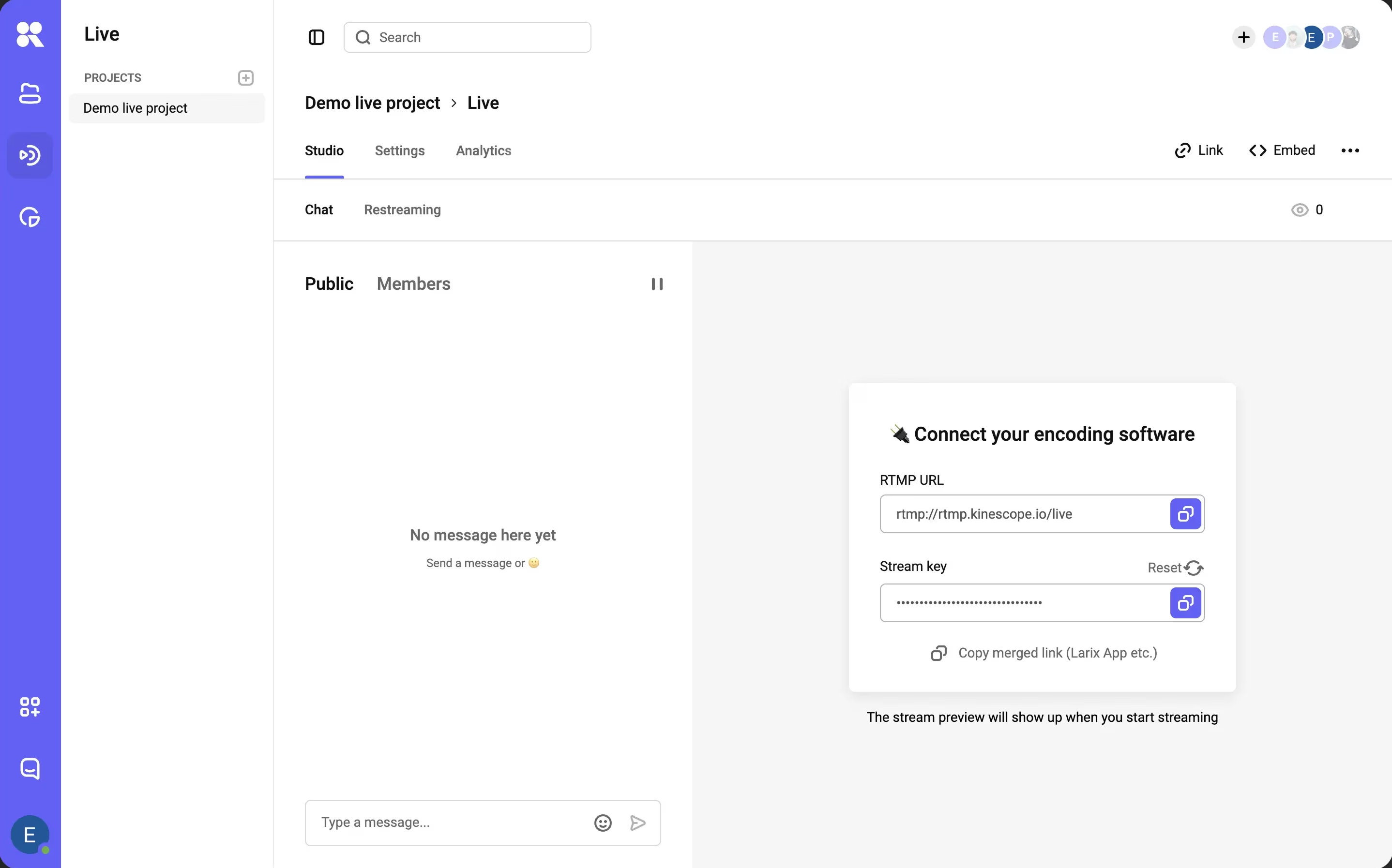
Webinar presenters need to hear one another quickly enough to keep the conversation moving. They can talk over WebRTC while viewers watch a separate HTTP broadcast and ask questions through chat. To create that broadcast, the presenters’ audio and video are combined into one feed and sent through an encoder. Kinescope can deliver this audience broadcast with embeddable chat. Our live stream guide gives a possible delay of 5–10 seconds, so viewers hear the discussion later than the presenters do. If the webinar includes a poll, the moderator needs to keep it open long enough for the question to reach viewers and for them to answer.
Live sports
LL-HLS and Low-Latency DASH suit large sports broadcasts because they distribute video through a CDN while targeting a delay of a few seconds. That delay can grow after an interruption if the player resumes where it stopped. Catching up may require skipping some footage, so the player’s recovery settings determine how quickly viewers return to the current action. A separate score display on the page needs to stay in step with the video each viewer is watching. Otherwise, it can reveal a goal before the viewer sees it.
Auctions and bid timing
WebRTC’s shorter delay lets bidders hear the auctioneer sooner, leaving more time before bidding closes. Video can still reach different viewers at different moments, so the auction needs a separate record of accepted bids. The application server applies deadlines and sends confirmations, which the interface displays independently of the video. After reconnection, it retrieves the current lot and accepted bid from that server, including any updates missed while playback was interrupted.
Lectures or conversational classes?
Language practice involves repeated exchanges, so a WebRTC classroom needs reliable two-way audio and capacity for simultaneous participants. A lecture collecting questions for the end can use HTTP delivery with more buffering on inconsistent connections. An e-learning setup may need both, alongside hosting for recorded courses.
Delivery costs and billing models
Take a two-hour event watched throughout by 1,000 people in Europe. An assumed average data rate of 4 megabits per second (Mb/s) is 0.5 megabytes per second, since a byte contains eight bits. Over an hour, that is 1,800 megabytes, or 1.8 GB per viewer. The event generates 2,000 viewer-hours and approximately 3,600 GB before overhead. Doubling the data rate doubles traffic for the same audience and duration.
At Bunny CDN’s Standard European rate of approximately €0.0086/GB, distributing that traffic costs about €30.98. The team still supplies encoding, packaging and the main streaming servers, and must test that the CDN delivers parts or chunks promptly.
Kinescope combines a managed video platform with usage billing. Our €10 monthly minimum covers the first €10 of usage each month. We charge €0.03/GB for the first 1,000 GB and €0.02/GB for the next 5,000 GB. With no other monthly traffic, delivery is 1,000 × €0.03 + 2,600 × €0.02 = €82. Storage and applicable processing remain separate.
Amazon IVS charges for broadcast viewing by viewer-hour and for real-time sessions by participant-hour, including the host. At its European rates for the first 10,000 hours, this event costs about €125 for a 720p broadcast on an Advanced HD channel, including two hours of video input. Real-time delivery for one host and 1,000 viewers costs about €124. These estimates exclude free allowances, discounts, tax, chat and recording.
Under these rates, sending viewers an HTTP broadcast offers almost no saving over real-time delivery. Compare the total cost for your audience and event duration, and check picture quality in a test stream before choosing on price.
Prices checked September 8, 2026. Foreign-currency rates are approximate euro conversions using the ECB September 4 rate, 1.1622 US dollars per euro. Totals use unrounded rates.
The right latency for your audience
The right latency target depends on how viewers participate. A conversation needs quick responses, which makes WebRTC useful. An audience watching a broadcast can often accept several seconds of delay, giving LL-HLS or Low-Latency DASH more room to keep playback steady. The aim is to leave enough buffering to handle an uneven connection while keeping viewers close enough to the event to participate.
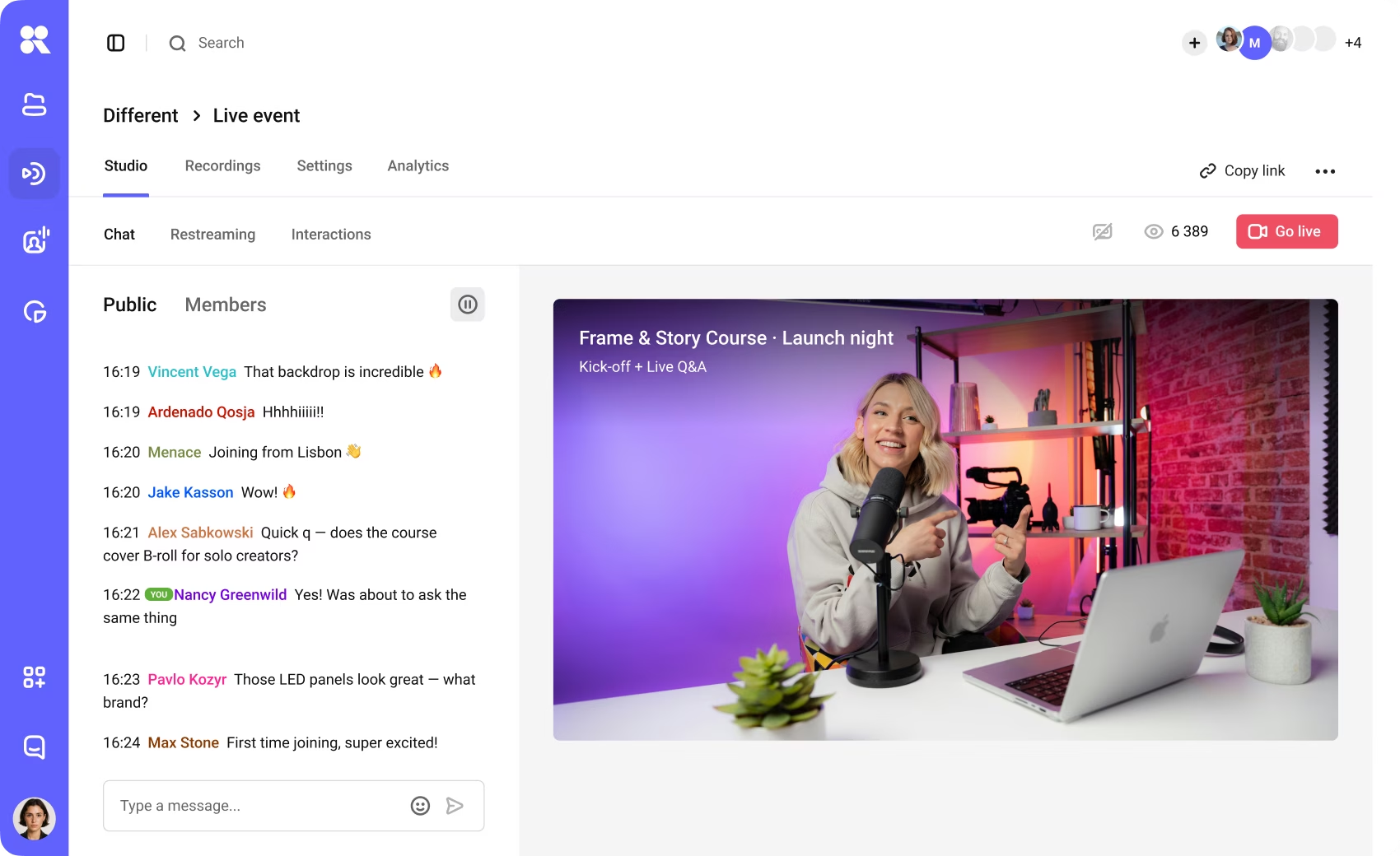
For a broadcast with audience chat, explore Kinescope live streaming to see how you can deliver the event on your site.
FAQ
Low latency streaming reduces the time between capturing live audio or video and presenting it to the audience. A useful target depends on the activity: broadcasting can allow seconds, while conversational participation needs a much shorter delay. Measure the complete capture-to-screen path.
WebRTC generally suits the shorter response times required for conversation, whereas LL-HLS suits scalable HTTP broadcasting with a delay measured in seconds. Actual performance depends on the encoder, processing, network and player, so compare complete deployments under equivalent conditions.
CMAF chunks enable earlier access to media within a segment. They reduce waiting only when the streaming service, delivery path and player make use of that early availability. CMAF can support both LL-HLS and Low-Latency DASH; it has no fixed end-to-end latency.
HLS latency can include waiting for segment completion, playlist discovery and the player's safety margin, plus capture, processing and network delays. LL-HLS reduces availability and discovery delays through partial segments and related extensions, but upstream processing and playback configuration still contribute.
Measure each stage, correct late publication or delivery, and verify adaptive quality switching before reducing the playback margin. Test the new target on difficult connections and during recovery. No setting can guarantee both minimum delay and uninterrupted playback under every network condition.
Yes, when the service has enough server and network capacity for the expected audience. Each viewer needs a connection. If only the presenters need conversational timing, they can use WebRTC while viewers receive an HTTP broadcast. Compare the cost of both arrangements.