Thinkific review: is it right for your online school?




Thinkific + Kinescope
The verdict: who Thinkific is best for
Thinkific makes sense when you want to sell education without building the website, checkout and learning portal yourself. Its strongest use case is a course business: a small academy, an expert with a growing catalogue, or a training company that needs a practical way to deliver lessons and manage access.
It can also support memberships, live sessions and customer education. The question is which parts of that business you can run comfortably on your chosen plan, and which still need another tool or a person behind the scenes.
Our verdict: shortlist Thinkific for structured courses and a connected sales-to-learning experience. Look more carefully if your business depends on highly customized learning, complex marketing automation or moving complete courses between platforms.
Thinkific pros and cons
- The chapter-and-lesson structure is easy to understand. You can combine teaching material with quizzes instead of selling access to a folder of recordings.
- Checkout and enrolment are connected, so the first purchase does not require a separate payment-to-LMS integration.
- You can expand beyond individual courses into recurring memberships and community access.
- Important upgrades are tied to the teaching or business model, not just the number of courses. Assignments, private access and API connections can change your budget early.
- The Classic and New Course Builders are different products in practice. An integration that works in one is not proof that it works in the other.
- There is no complete course-package export for moving to another LMS. Keep your original content outside the platform.
The interface examples in this review use a draft training course. Paid-plan capabilities follow Thinkific’s documentation; live payments, refunds and higher-tier features were not hands-on tested. Prices and feature availability were checked on August 27, 2026.
What other Thinkific reviews say
G2’s summary of user reviews highlights ease of course creation and helpful support. Recurring complaints concern customization limits, missing capabilities and the cost of add-ons or upgrades. These are review themes across different accounts and dates, not a measurement of the current Basic plan.
Both sides make sense: a ready-made course system saves setup work until you need something outside its defaults. Bring your most awkward real requirement to the trial, not just the easiest lesson.
Building a course: straightforward structure, two different builders
In the Classic Course Builder, your chapters and lessons sit on the left, with the current lesson on the right. The lesson picker includes video, text, PDFs, audio, downloads, quizzes and surveys. Assignment and live Zoom lessons appear as upgrade options on the Basic account.
A useful first course might have a short explanation, a worked example, a downloadable exercise and a quiz. Thinkific gives you the containers for that sequence; it does not decide whether the sequence teaches anything. Build one complete chapter before uploading an entire library.
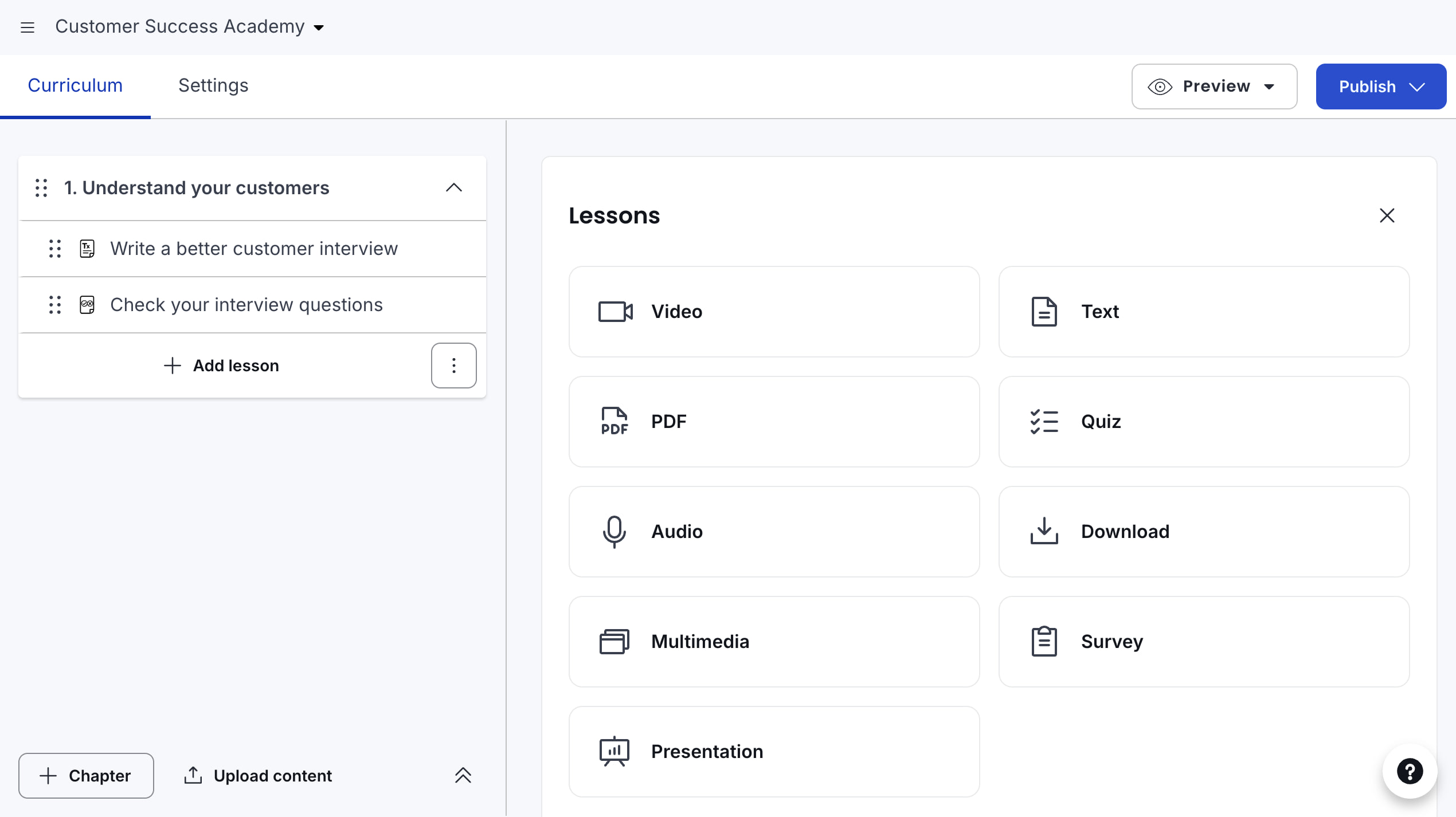
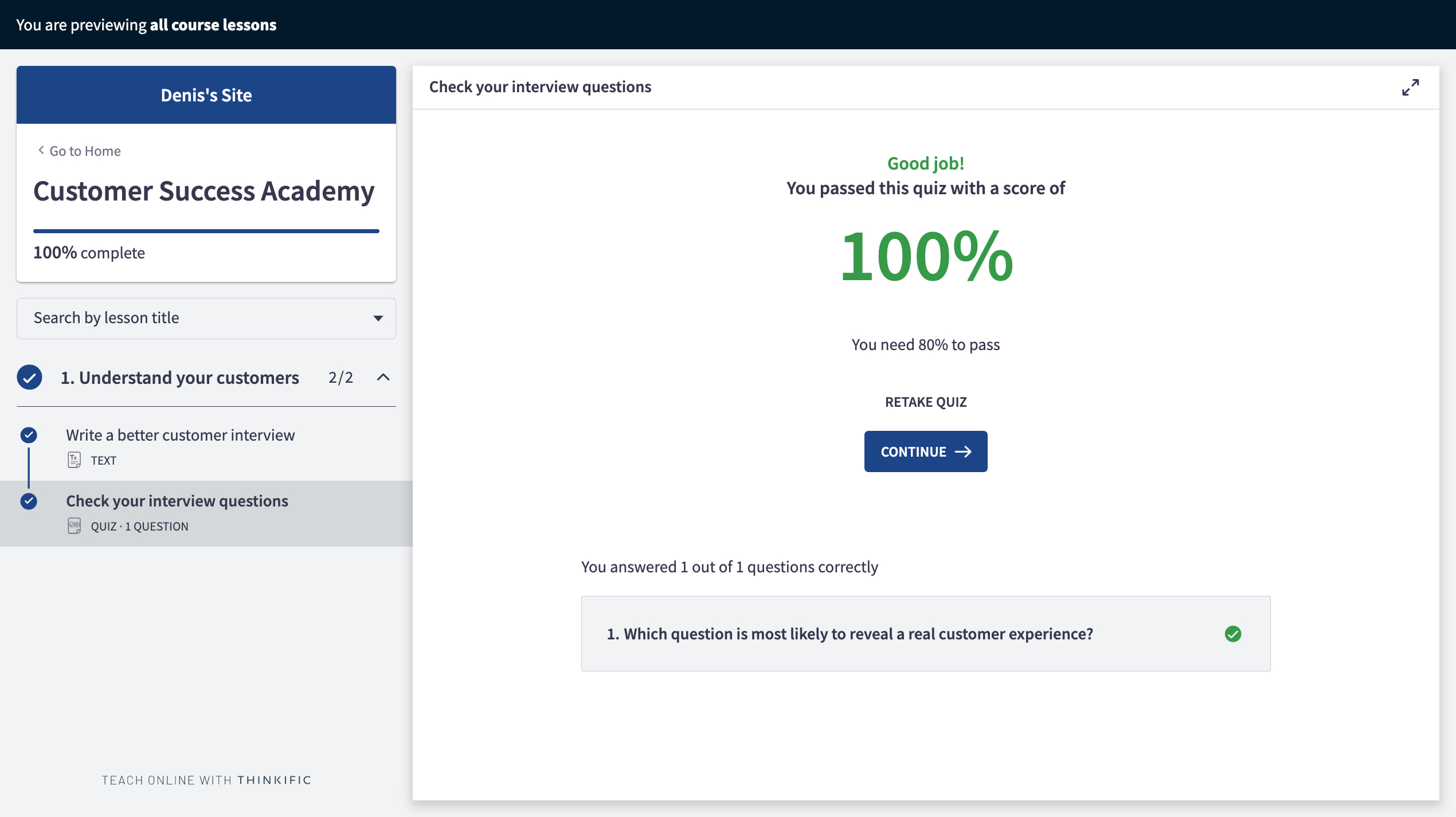
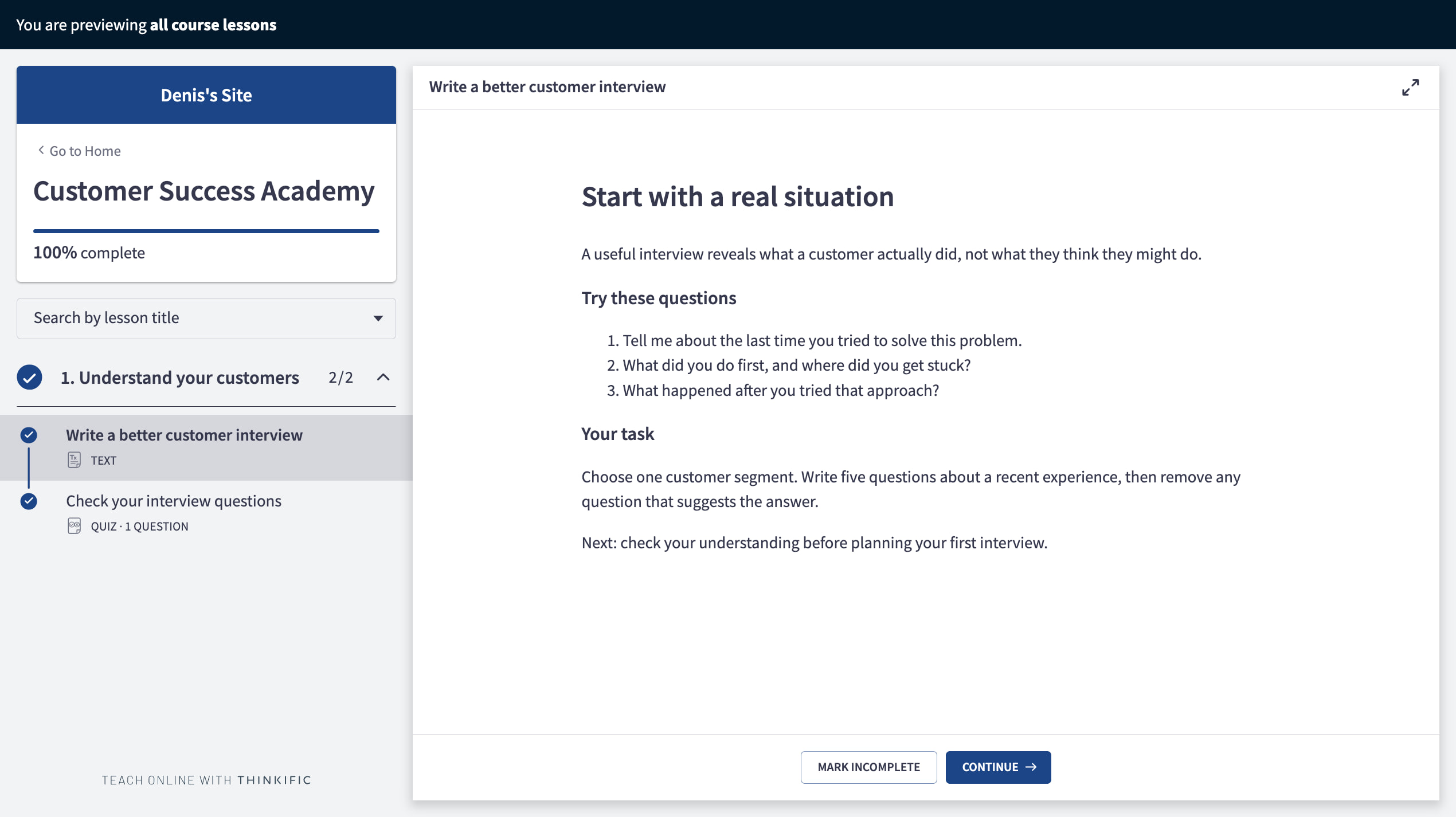
In the sample Customer Success Academy, a text lesson introduces customer interviews and asks learners to rewrite leading questions. A quiz follows it. Completing the text lesson advanced the preview to the quiz; submitting the correct answer brought the two-lesson course to 100% completion.
Classic versus New Course Builder
Thinkific is rolling out a New Course Builder, currently in beta. It uses a more flexible content-block approach within lessons, while Classic uses distinct lesson types. The documentation says courses cannot be transferred between the two builders.
That matters before you produce a large course. The same documentation lists limitations around custom code and third-party Course Player extensions. Choose the builder after checking your essential lesson formats and integrations, not because the newer interface looks nicer.
The AI course-outline tools can help draft a starting structure. Treat the output as an outline to edit: remove generic chapters, add your own examples and check that each lesson leads to a useful learner action. AI-generated structure is not a finished course. For AI help beyond the outline, with lesson drafts, video and quizzes, compare the AI course creation tools by the job each one does.
Quizzes, assignments and certificates: can you assess real learning?
A course completion percentage tells you that someone progressed through the material. It does not tell you whether they can apply it. Thinkific offers different tools for checking knowledge and collecting work, and they should not be treated as interchangeable.
Quizzes and progression rules
Use a quiz for questions with defined answers. The Classic quiz editor lets you add questions and require a passing grade; the Basic account also shows a separate Grow gate for a randomized question bank.
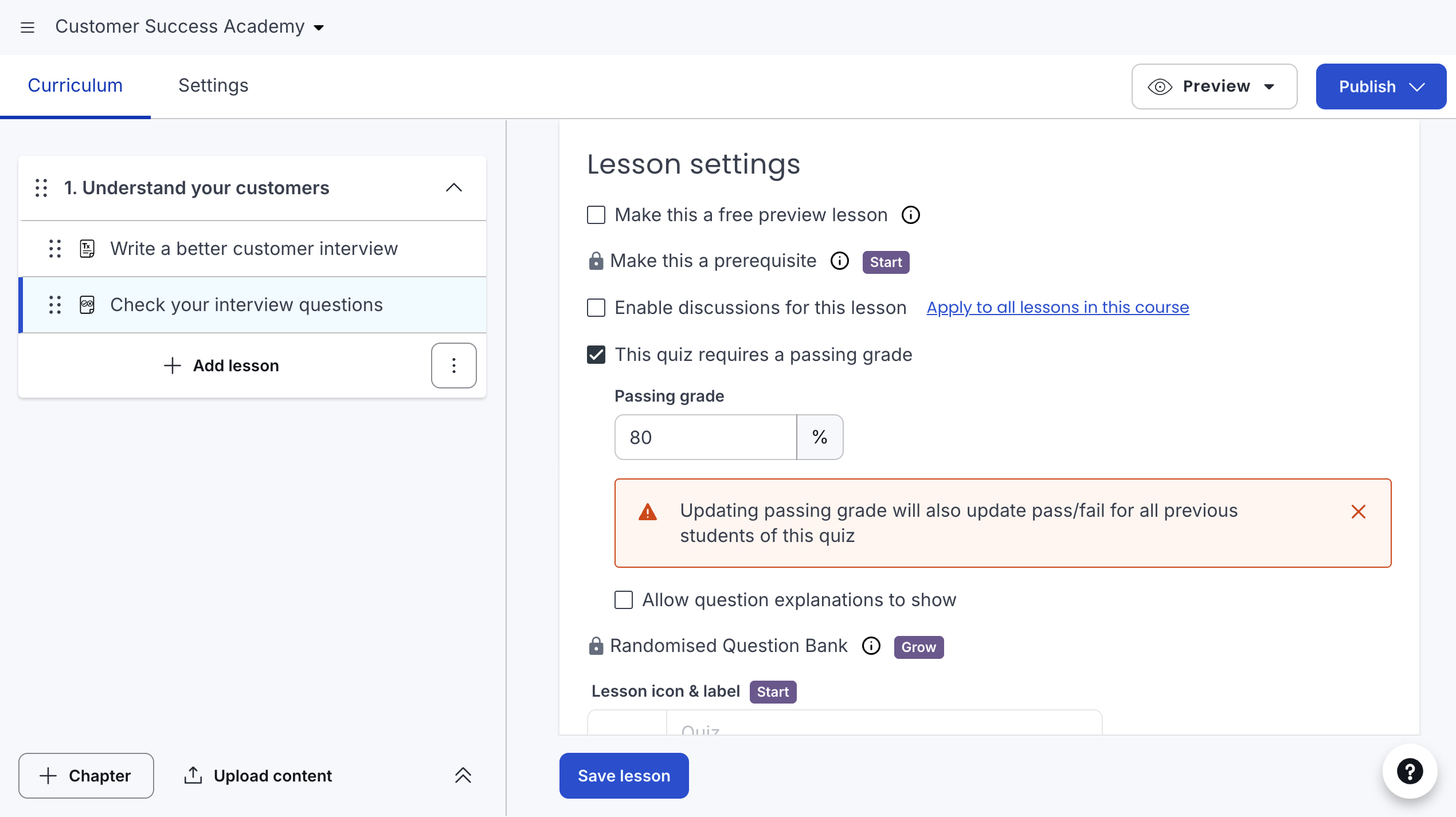
A required passing grade prevents a learner from reaching full course completion without passing. In Classic, that alone does not stop them navigating ahead. To gate later chapters, use a prerequisite lesson, which requires Start or above in the tested account.
Prerequisites apply to subsequent chapters, not movement between lessons inside the same chapter. If the course promises a strict sequence, build its chapter structure around that behavior. Otherwise a learner may reach material earlier than you intended.
When the answer needs a human
Assignments suit work such as an interview plan, a spreadsheet or a written proposal. Assignments and completion certificates are available from Start. The submission workflow lets an administrator review work, approve it or reject it for another attempt.
On newer accounts, approval completes the lesson and rejection requires a fresh submission. Those decisions are final for that submission, so keep a clear grading policy and review carefully before confirming. Individual reviews can include an email to the learner; bulk decisions do not offer the same message step.
For a school selling tutor feedback, the real constraint becomes the review process: who checks submissions, how quickly they respond, and what happens when a learner needs another attempt. A submission box does not supply those operations. Likewise, a completion certificate is evidence of your course requirements, not an independent professional accreditation.
For a low-priced self-paced course, quizzes may be enough. For a premium practical program, budget for assignments and instructor time together. Those are different products, even if both contain the same videos.
Self-paced courses, cohorts, coaching and downloads
Thinkific can support learners who start whenever they want and groups that work to a shared calendar. The distinction comes down to release schedules, live teaching and how you organize access.
A drip schedule releases content relative to enrolment, the learner’s first course start, or a calendar date. Use enrolment-based timing for an evergreen program. Use calendar dates when a cohort should receive the same chapter at the same time.
Calendar-based release has a consequence: a late joiner can see content that has already been released. It does not restart the cohort schedule for that person. Decide how late enrolment works before promising a synchronized experience.
For teaching together, Live Lessons with Zoom put scheduled meetings or webinars into a course. Thinkific organizes access, but Zoom still delivers the session. Check the required Zoom subscription and webinar add-on separately; the LMS plan is not a replacement for them.
There are also standalone Coaching & Webinars products for sessions outside a course, and Digital Downloads for files such as workbooks or templates. A free planning worksheet, a paid workshop and a longer course can therefore be separate offers. Thinkific’s getting-started guide distinguishes these product types and their setup.
For a live cohort, test the whole weekly routine: find the next session, join it, locate the recording and submit the follow-up work. A working meeting link is only one part of that experience.
Memberships and communities: selling ongoing access
A membership makes sense when customers are paying for something that continues: a growing course library, regular office hours or an active professional community. It is a different promise from a one-time course purchase.
The Membership Builder, available from Start, packages courses and community access. A subscription renews for continued access; a payment plan divides a purchase into instalments. Do not choose between them just because both show a monthly amount at checkout.
Thinkific communities provide spaces for conversations and events alongside learning. A practical school might separate announcements, questions and student work so that an important course update does not disappear beneath introductions.
The useful detail is how community access is granted. It can follow a purchase, selected courses or bundles, selected groups, or a site login. Linking access to a course is useful for a cohort discussion area; selling access separately suits a standalone club.
Individual enrolments and expiry dates can interact with those general rules. Before changing access on a live community, check what happens to existing members. A community that is hidden from a catalogue is not automatically restricted to the right people.
Choose this approach when the community supports your teaching. If the community itself is the entire product, test moderation, member discovery, notifications and mobile participation carefully against a dedicated community platform. The existence of a feed is not enough to decide.
Can Thinkific replace your course website?
For a straightforward academy website, often yes. Site Builder provides home, course, bundle, community and custom pages. Pages are assembled from sections, and theme settings control shared fonts, colors and other branding.
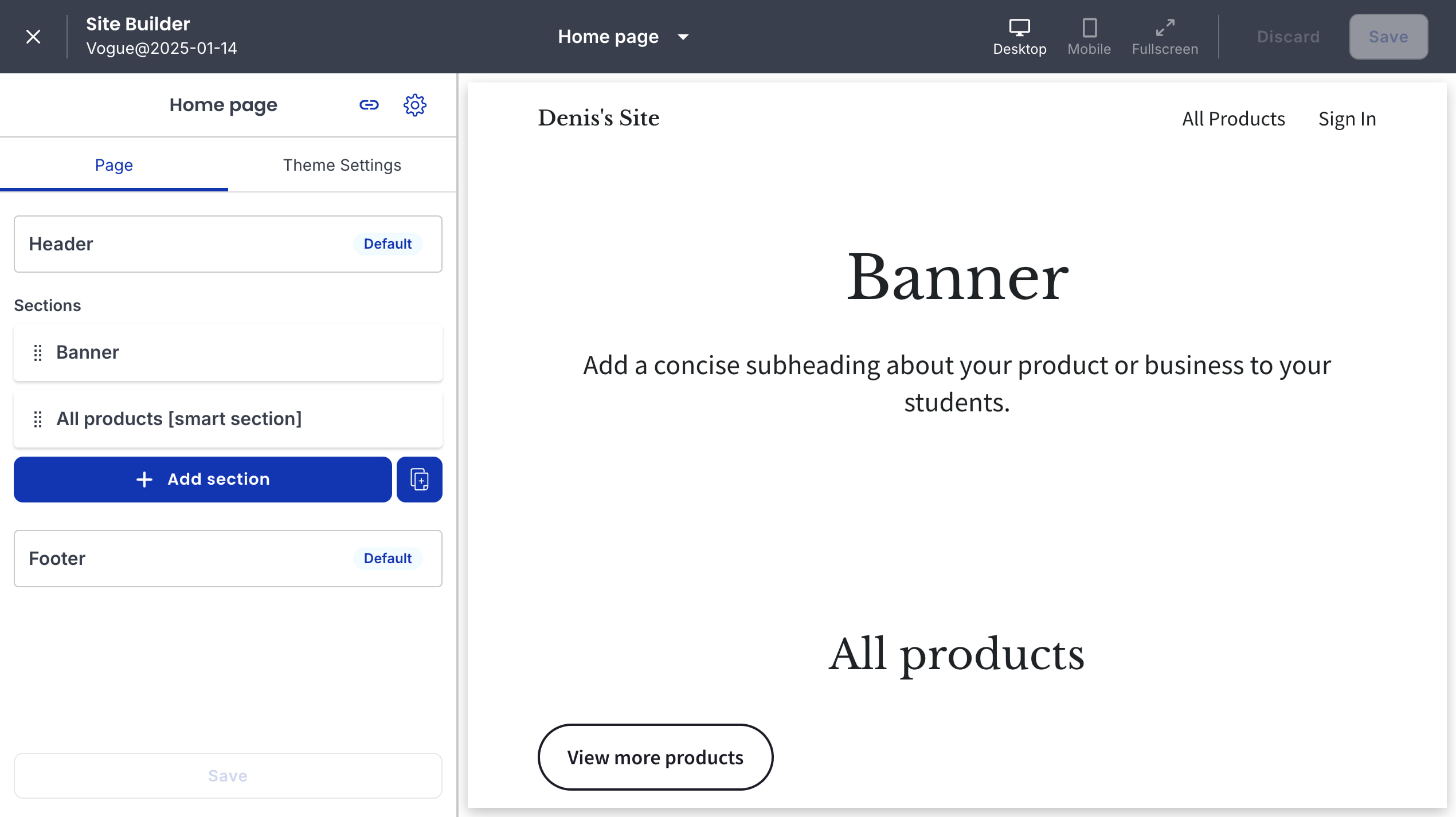
A course landing page needs more than a banner and a purchase button. Show who the course is for, what the learner will be able to do, the curriculum, instructor information, the price and the support included. Thinkific’s section library includes curriculum, pricing, FAQ and social-proof elements for that job.
The practical benefit is keeping the sales page close to the product it sells. You do not need to rebuild the curriculum list manually every time the course changes. The trade-off is working within the builder’s section and theme system.
If your existing site already handles your blog, SEO pages and main brand experience well, keep it. Send visitors to the course sales or checkout flow and use Thinkific for delivery. Moving an entire company website into an LMS is a separate decision from choosing where students learn.
Website design, the Course Player and the Learner Hub have different customization controls. Editing a landing-page theme does not imply identical control over all learner screens. Check the exact page you need to change, especially checkout: available edits depend on the payment setup.
Selling courses: checkout, offers and what happens after payment
The basic sales journey is connected: someone chooses a product, buys through Thinkific checkout and receives access. That removes a common integration problem for a new school, but payment methods and commerce features still depend on the processor, location and plan.
Think about the offer before configuring the payment screen. A one-time purchase, a fixed instalment plan and a renewable subscription create different expectations about access. Write down how long access lasts and whether coaching or community participation ends at the same time.
Tools for a larger order
Thinkific’s selling tools include coupons, bundles, order bumps and upsells. These solve different problems: a bundle packages several products, an order bump adds something at checkout, and an after-purchase offer comes after the initial decision.
For example, a course might have an optional workbook or a follow-up workshop. The extra offer should make the course more useful, not hide something the buyer reasonably thought was included. Start with one clear offer before building a chain of upsells.
Affiliate reporting can support partners who refer buyers. Check how commissions are tracked and paid in your setup rather than assuming that a tracked referral means money has already been sent to the partner.
Refunds, cancellations and access
Your operating checklist should cover more than a successful card payment. Verify a failed payment, a subscription cancellation, a refund and the resulting enrolment status. These are related events, not interchangeable instructions.
Before launch, document who handles each request and where the authoritative record lives: Thinkific, the payment processor or an external checkout. Run a controlled checkout rehearsal before accepting students, including how access changes after a refund.
Marketing and email: useful basics, not every automation
Thinkific includes lead capture and Email Automation, with sales flows and abandoned-cart messages. You can define entry conditions, edit the emails and inspect sequence performance. That is useful for a small school that wants to follow up with interested people without connecting another service immediately.
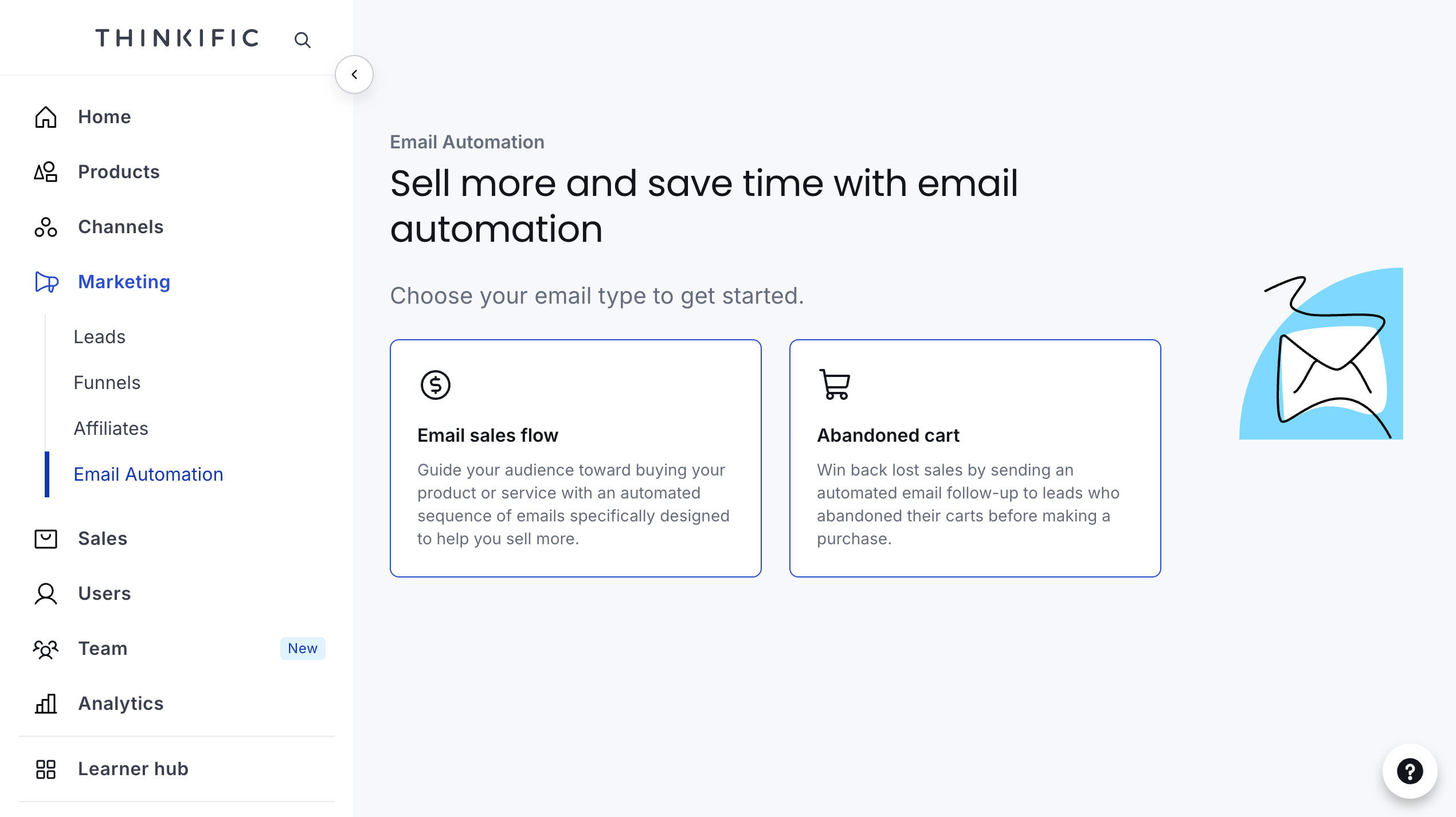
Keep marketing sequences separate from operational notifications. Purchase messages, welcome emails and reminders have their own controls; the Email Automation feature does not replace every email Thinkific sends.
The sales-flow setup starts with the product you want to sell. Selecting the sample course produced a lead audience with a condition that excludes people who already bought that course. That is a useful starting point for a resource-to-course campaign; check the exit conditions before turning it on.
For a business with several products, a CRM and established lifecycle messaging, the question is not whether Thinkific has email. It is whether it supports your particular segments, triggers and reporting. If not, keep the existing email platform and connect the necessary learning events.
Lead exports and the app ecosystem provide routes to an external system. Decide which tool owns consent and subscription preferences so a contact is not re-added to a campaign after opting out elsewhere.
The student experience: browser, mobile and support
In the Classic Course Player, the learner sees a chapter list, the current lesson and a completion control. A text lesson can combine instructions, questions and a practical task without forcing everything into a video. The desktop preview is useful for checking the order and clarity of those materials.
The newer Learner Hub brings the library, communities, events and other enabled areas into one place. It is in beta and replaces the Classic Student Dashboard on eligible sites. Admins can see options and products that a learner cannot, so use learner preview when checking navigation.
Mobile is a separate decision
Distinguish a mobile browser, the shared Thinkific app and a branded app with your own store listing. They are not three names for the same experience. A branded app is an additional commercial choice, not something to assume comes with a basic course subscription.
The mobile FAQ says the shared app does not provide full offline course delivery. Some lesson files can be downloadable when allowed, but downloading a file is not the same as an offline learning experience with progress synchronization.
The same FAQ notes that on-lesson discussions are not supported in the app and suggests course-related community spaces. If discussion is central to your teaching, this affects where you put questions and feedback.
For your trial, open the same lesson on a laptop and phone. Check text size, captions, downloads, the route back to the course, and any embedded content. A mobile-friendly sales page does not prove that every lesson or third-party integration behaves well on mobile.
Who helps a stuck learner?
Your school remains the first point of contact for course and access questions. Thinkific’s support options serve the site owner and vary by plan; around-the-clock chatbot availability is not a promise of round-the-clock human support. Budget for the person who will answer students.
Running a school: reporting, teams and corporate customers
Once several people teach or support a course, convenience depends on administration as much as the lesson editor. Decide who needs full site access, who only manages teaching, and who needs reports. Sharing one owner login is a poor substitute for the right roles.
Progress reports show information such as course starts, completion and last sign-in, with export options. Use them to find a learner who enrolled but never started, or a chapter where a cohort stops progressing. Follow that signal with a conversation or an assessment; completion alone does not explain the cause.
Business reporting asks different questions: which offer sells, how much revenue it brings, and whether recurring customers remain subscribed. Before upgrading for analytics, list the decisions the report must support. A larger dashboard is not automatically a better operating process.
Selling training to companies
Corporate buyers may need several seats, an invoice and reporting for their own group. Thinkific’s current Grow offering includes group orders and invoicing; Plus addresses requirements such as SSO and custom roles. Confirm the actual procurement and reporting workflow before quoting a corporate contract.
A real example is Hootsuite Academy. Thinkific’s case study describes Hootsuite using Plus for product education and broader social-media training, including certification. It illustrates a use case beyond selling an expert’s first course; it is not evidence that a Basic account includes the same setup or will produce the same results.
For customer education, decide how learning data reaches the customer-success team. A finished course becomes more useful when the account owner can see it next to the customer’s product usage and support history.
Thinkific integrations, AI and the limits of customization
The Thinkific App Store includes connections for tools such as Zoom, Mailchimp, Google Analytics and Zapier. An app listing is a starting point for evaluation, not proof that it supports every event, page or course builder.
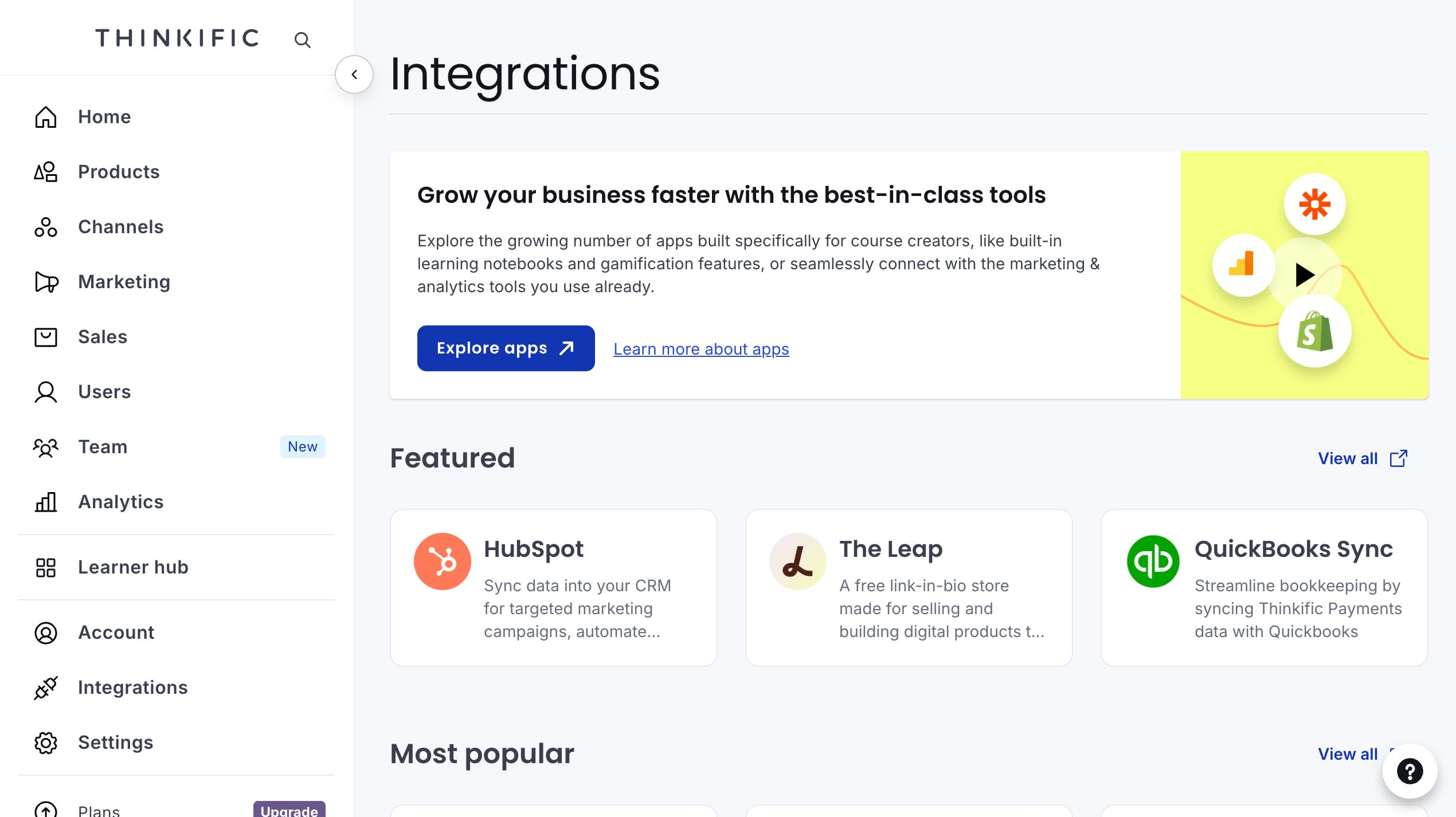
An embed displays another tool inside a lesson, while an automation passes an event or record between systems. An API integration can coordinate a more specific workflow.
Displaying a video, for example, does not automatically connect its watch time to the LMS completion rules.
For a growing school, write the workflow in plain language before choosing the connector: when a learner completes onboarding, update a CRM field; when access expires, remove the appropriate entitlement. Then check whether the available trigger and action actually implement that rule, including failures and duplicate events.
API access and webhooks are upgrade considerations, and third-party tools can add their own subscription costs. Check compatibility with the New Course Builder and Learner Hub separately from the older player and dashboard. Avoid committing to a custom integration based on an old tutorial alone.
Thinker, the AI teaching assistant, is another distinct capability: it helps learners find answers from course content. It is different from AI that drafts an outline or marketing copy. If you evaluate it, include questions the material cannot answer and check whether the response makes that limitation clear.
For sensitive customer-training material, review access controls, the data shared with each connected service and your own security requirements before enabling additional tools. An integration can be useful and still need a separate security review.
Thinkific pricing: choose the plan around your business model
USD subscriptions below follow the August 2026 pricing update, checked August 27. Annual equivalents are rounded monthly amounts, paid upfront for the year; they are not monthly instalments. Currency and taxes vary.
- Basic: $54/month, or $475/year. About $40/month on annual billing. A starting point for a self-paced course business with one administrator.
- Start: $109/month, or $978/year. About $82/month annually. The more relevant starting budget if you need assignments, certificates, private courses or memberships.
- Grow: $219/month, or $1,968/year. $164/month annually. Consider it for API connections, richer reporting, more administrators and a growing B2B operation.
- Plus: custom quote. Scope requirements such as SSO, SCORM, custom roles and implementation support with the vendor.
The current offer is a 30-day free trial, not a permanent free plan for new accounts. Older articles referring to a forever-free tier or legacy plan names should not be used to budget a new school.
Thinkific transaction fees
Separate the platform subscription from payment processing and the additional third-party gateway fee. The gateway-fee FAQ currently applies the extra fee to eligible Stripe sales for schools in the US, Canada, UK and EU: 5% on Basic, 2% on Start and 1% on Grow, on the first $1 million in calendar-year sales.
An eligible $100 sale on Basic therefore adds a $5 gateway fee, before processor charges and your subscription. Thinkific Payments avoids that extra gateway fee, not all payment costs. Do not generalize the current Stripe rule to every processor or country.
The budget beyond the subscription
Add the tools your actual offer needs: live-meeting software, a marketing platform, paid apps, a branded mobile app if required, and staff time for learner support and assignment feedback. Include video delivery costs when viewing exceeds the native allowance or you choose an external host.
For a new academy, the useful comparison is the cost of delivering one complete paid program. For an established school, it is the cost of the whole workflow at expected enrolment and sales volume. The cheapest plan name is not necessarily the cheapest working setup.
Thinkific video hosting: convenient, with limits
You can host course videos directly in Thinkific. It is convenient for getting a course online, but included hosting comes with upload and bandwidth limits. For paid lessons, you also need to consider how the videos are protected against copying.
Thinkific’s content controls restrict course access and let you disable the download button. Its Private video setting, where available, adds expiring access tokens. These are useful access controls, not a substitute for DRM encryption; Thinkific warns that the Private setting may not prevent screen recording.
There are practical limits too. Native uploads are capped at 3 GB per file, while monthly video bandwidth is 100 GB on Basic, 200 GB on Start and 400 GB on Grow. Bandwidth is the data delivered to viewers, so repeat plays count as well as new students.
For example, 500 learners each receiving 1 GB of video in a month would use 500 GB, above Grow’s 400 GB allowance. Hosting video separately lets you choose your LMS plan for its teaching features rather than its video allowance.
One native advantage to weigh: Classic Video lessons support a required viewing percentage on Start and above. A standard external iframe does not automatically send that completion data back to Thinkific.
Why use Kinescope with Thinkific?
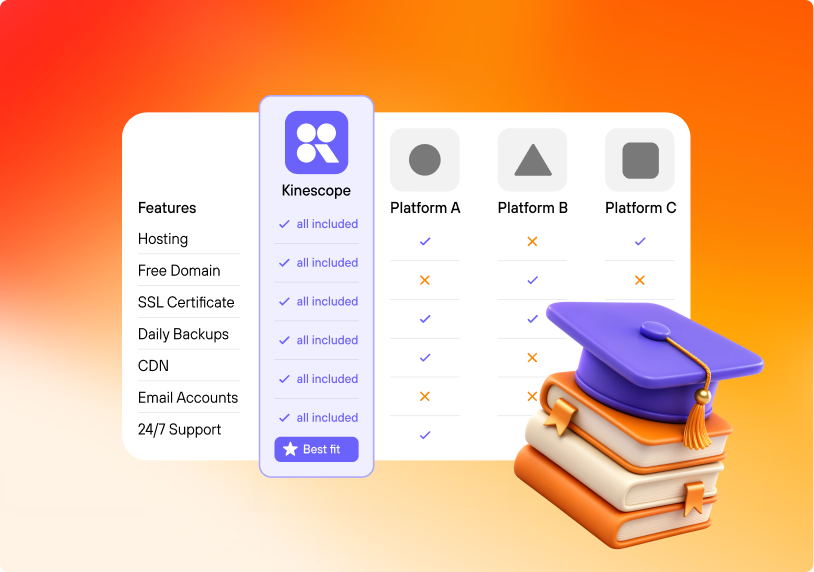
If video is a core part of what you sell, we recommend hosting it in Kinescope and keeping Thinkific for course structure, checkout and student access. You get dedicated video protection and delivery without rebuilding your school.
- Protect paid lessons with Widevine and FairPlay DRM. Playback requires a license, so copying the encrypted stream does not produce an ordinary playable video file. Add domain restrictions to control where your player can be embedded.
- Keep video traffic outside Thinkific’s allowance. Externally hosted videos do not count toward that monthly cap, and Thinkific’s 3 GB native-upload limit does not apply to them.
- See where viewers stop watching or replay a section with video engagement analytics. Use that information to find lessons that need a clearer explanation or a shorter edit.
- Keep an independent video library for courses, landing pages and other sites. If you change LMS later, your recordings can stay in the same hosting account.
Paid plans start at €10/month with DRM included; the final bill depends on storage, traffic and processing. You pay for video usage separately from your Thinkific subscription, rather than upgrading the LMS just to get a larger native-video allowance. Our course video-hosting guide covers the wider comparison.
Configure playback access for your school: an embed does not automatically inherit every Thinkific access rule. DRM adds protection against copying, but no system makes piracy impossible.
How to embed the player
Use a Text lesson in the Classic Course Builder:
- Copy the full embed code from your Kinescope video.
- Open the Text lesson’s Code View and paste it.
- Keep the responsive wrapper and
encrypted-mediapermission in the iframe’sallowattribute. - Exit Code View, save and check playback in learner preview.
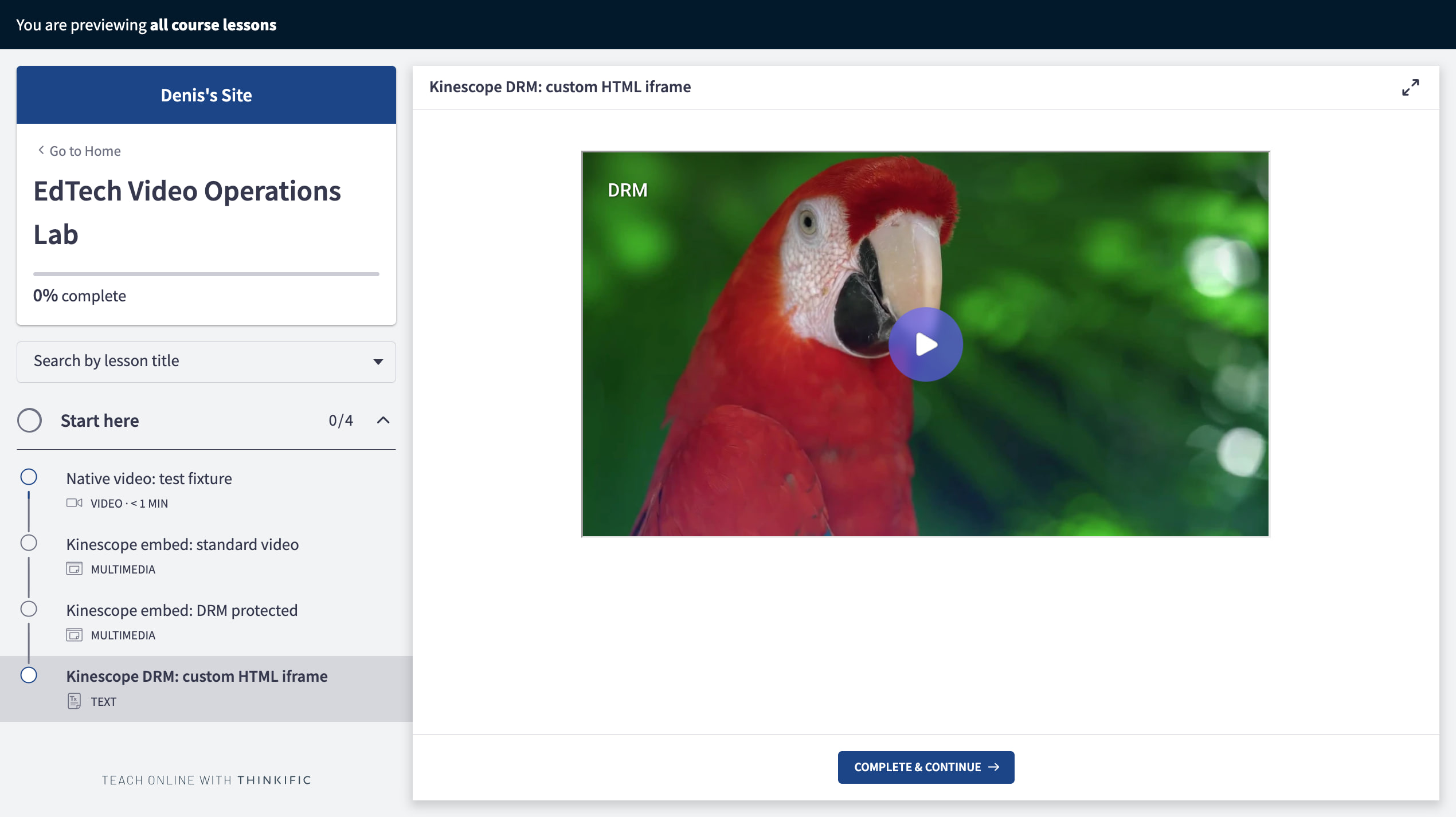
Enable DRM in the video’s project; iframe permissions alone do not encrypt it. DRM-protected playback was confirmed in desktop learner preview with this setup, including Comet. Check your target browsers and devices; the New Course Builder was not tested.
This setup uses manual completion. The learner clicks “Complete & continue”; an iframe does not automatically satisfy the native viewing-percentage rule. Connecting watch time or named-learner analytics requires additional integration.
Thinkific alternatives and moving your school later
Thinkific vs Teachable
Teachable’s monthly-billing plans list Starter at $39/month with five products and a 7.5% transaction fee. Builder is $89/month with ten products and a 0% platform transaction fee using teachable:pay or Monthly Payment Gateway; processing fees still apply.
Thinkific Basic has a higher entry price than Teachable Starter but allows unlimited courses. Compare total fees and catalogue limits for your own offer, then try the teaching workflow. Neither subscription price nor a generic score tells you whether tutors can give the feedback your students expect.
Other alternatives by priority
Kajabi is worth comparing when the main requirement is running courses, email and marketing funnels together. Check whether that consolidation replaces tools you already pay for; otherwise an all-in-one platform can simply become another subscription.
LearnWorlds deserves a trial when learning activities inside the video are central to the course. Test the exact interaction you need rather than assuming that every feature described as “interactive” serves the same teaching purpose.
Moodle is an open-source alternative when control over the learning environment matters and you have technical support. Include hosting, maintenance, plugins and the sales workflow in that comparison. Free software is not a zero-cost school.
What can you take with you?
Thinkific does not offer a complete portable course export for importing into another LMS. Keep lesson scripts, original media, assessment questions and downloadable files in your own organized library.
Student records, progress, payment subscriptions and community activity are separate migration questions. Before moving, identify which records can be exported, how active customers retain access and which subscriptions need special handling. An independently hosted video library helps with media portability, not the entire school migration.
For a final trial decision, build one representative chapter and rehearse your actual offer: a purchase or enrolment route, a lesson, an assessment, a support request and the report your team needs. Thinkific is a good choice when that complete routine works at a price you can sustain.
Keep Thinkific for your school and use Kinescope for the videos you sell. Start with one protected lesson, check the learner experience, then move the rest of your library.