






















Video to text
Drop a video, an audio file or a WhatsApp voice note and get the text with a timestamp for every line. The AI runs in your browser: no sign-up, no upload.
Spoken language
- Downloading the AI model · 77 MB, only the first time
- Extracting the audio
- Transcribing
Transcript
Click a line to jump to that moment.
Speech recognition runs in your browser with Whisper. Nothing is uploaded; long recordings need a few minutes and a free tab.
Want subtitles right in your course player?
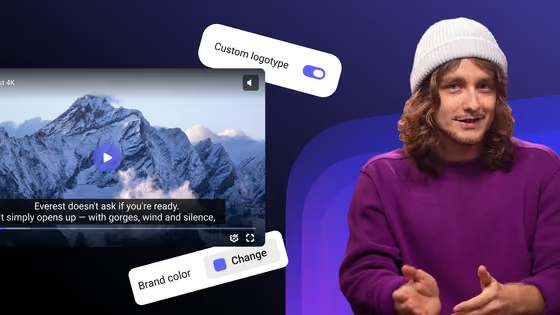
In Kinescope, AI generates subtitles on the video page in the lesson’s language, together with chapters. You review them, publish, and viewers turn them on in the player.
- 100 minutes and 200 GB of traffic a month free
- No card required
- Automatic subtitles on the Super plan, from €10 a month
How it works and how to get better text
Video, audio or WhatsApp
Takes MP4, MOV, MKV and WebM, plus MP3, M4A, WAV and the OGG files of WhatsApp voice notes. From a video, the tool uses only the sound track.
Nothing leaves your computer
The audio is extracted and transcribed inside your browser. A paid lesson, an internal meeting or a client call never passes through a server.
Whisper, the AI model behind big transcription tools
The tool runs OpenAI’s Whisper base. The model is 77 MB, downloads once and stays in your browser for the next files.
Subtitles in SRT and VTT
Every line comes with its start and end time. SRT opens in YouTube and video editors; VTT is the web subtitle format used by HLS players.
Clean audio, better text
A microphone close to the speaker and little background noise matter more than any setting. If the recording mixes languages, choose Detect.
Long recording? Keep the tab open
On a recent laptop, Whisper transcribes about 5 minutes of speech per minute. A one-hour lecture takes about 12 minutes, and the text appears as it goes.
FAQ
Choose the file, confirm the spoken language and click Transcribe. The first time, your browser downloads the AI model; then it extracts the audio and the text appears in timed lines. At the end, copy the text or download TXT, SRT or VTT.
It is free and needs no sign-up. There is no fixed minute limit: transcription runs on your computer, so the limits are browser memory and processing time.
Yes. Save or export the voice note (an .ogg or .opus file) and drop it here. It works in desktop Chrome and Edge; in Safari it depends on the version.
No. Only the AI model is downloaded, once. The audio and the text stay in your browser and are gone when you close the tab.
With clear speech, Whisper base gets the large majority of words right and adds punctuation. Names, technical terms and noisy audio need a review before you publish.
Download the SRT and upload it to YouTube or your video editor. In Kinescope, automatic subtitles are generated on the video page in the video’s language and can be edited before you publish; viewers turn them on in the player.