




















Kinescope MCP server

Connect Claude, Cursor or Qwen3 to your video library. The agent finds videos, edits descriptions and chapters, pulls view reports and schedules live streams from a plain-language prompt.

An MCP server makes video work conversational
You describe the task in chat, and the agent picks the right Kinescope tools and does it: finds videos, edits descriptions, pulls statistics, creates live events. It talks to Kinescope over MCP (Model Context Protocol), an open protocol for connecting AI assistants to services.
AI client
- Claude Desktop
- Claude Code
- Cursor
- Qwen3
- Any MCP client
Kinescope MCP
api.kinescope.io/mcp
Streamable HTTP
API token access
Kinescope
- Videos and metadata
- Projects, folders, playlists
- View analytics
- Live streams and restreaming
- Subtitles and chapters
What the agent does in Kinescope
These prompts come from the docs. Click one to copy it into your chat.
-
Videos
Search by title, description and tags, edit metadata and privacy, copy and move videos between projects.
-
Projects and playlists
The agent creates projects, sorts videos into folders and builds playlists.
-
Analytics
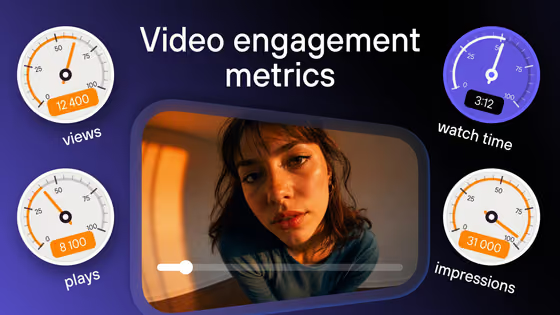
Views, unique viewers, watch time, completion and retention, geography, devices and drop-off points.
-
Live streams
Events, schedules, restreaming and recordings.
-
Subtitles and chapters
The agent adds subtitle files, reads the subtitle text with timestamps and sets chapters.
-
Everything else
Posters, supplementary materials, Speak rooms, usage and billing statistics.
Uploading video files through MCP isn’t available yet. Use the API for uploads.
Bulk edits in one prompt
The agent finds the videos that match your condition and changes each one. Pick an operation to see it run.
Prompts are taken from the docs. The agent can’t delete videos.
Kinescope plus your other tools
Connect another MCP server to the same agent, for example one for Google apps. The agent takes videos and statistics from Kinescope and moves them into a sheet or a doc, or checks them against your calendar.
These scenarios need a second MCP server for Google apps. Kinescope doesn’t provide it; the data in the window is an example.
Connect in three steps
The server runs at https://api.kinescope.io/mcp. You need a Kinescope account and a desktop AI client.
-
Step 1
Create an API token
In Kinescope, open API tokens, click “Create API token”, name it and choose its permissions. Read-only access is enough for reports.
Create a token -
Step 2
Add the server to your client
Paste the config into your client and replace
YOUR_API_TOKENwith the token from step 1. Cursor installs it with one button, Claude Desktop and Claude Code with a terminal command. -
Step 3
Check the connection
Restart the client and send this prompt. The agent replies with a list of your projects.
Show my projects in Kinescope
If it doesn’t connect
Cursor opens the install dialog for the Kinescope server. Then replace YOUR_API_TOKEN with your token in the MCP settings. Or paste the config by hand:
File ~/.cursor/mcp.json on macOS and Linux, %APPDATA%\Cursor\mcp.json on Windows.
{
  "mcpServers": {
    "Kinescope MCP": {
      "type": "streamable-http",
      "url": "https://api.kinescope.io/mcp",
      "headers": {
        "Authorization": "Bearer YOUR_API_TOKEN"
      }
    }
  }
}
Run this in a terminal to add the server to Claude Code.
claude mcp add --transport http kinescope https://api.kinescope.io/mcp \
  --header "Authorization: Bearer YOUR_API_TOKEN"
Desktop app: avatar → Settings → MCP → “My MCP” → “+ Add MCP” → “Add using JSON”.
{
  "mcpServers": {
    "Kinescope MCP": {
      "type": "streamable-http",
      "url": "https://api.kinescope.io/mcp",
      "headers": {
        "Authorization": "Bearer YOUR_API_TOKEN"
      }
    }
  }
}
The Smithery installer adds the server to Claude Desktop and asks for your API token. Then quit and reopen the app.
npx -y @smithery/cli@latest mcp add kinescope/kinescope-mcp --client claudeReady-made workflows
Send the prompts one by one in the same chat: the agent remembers the result of the previous step.
-
Weekly report
A summary of the week: top videos, weak spots, new uploads.
- Show view statistics for all videos over the last 7 days
- Which 5 videos got the most views this week?
- Which videos have a completion rate below 60%?
- How many videos were uploaded this week and what are their initial metrics?
-
Content audit
Find the videos that need an update.
- Show all videos without a description
- Find videos that have no tags
- Show videos longer than 10 minutes that have no chapters
- Find videos uploaded more than a year ago that haven’t been viewed in the last 3 months
-
Library cleanup
Sort out projects, tags and privacy.
- Show all projects and the number of videos in each
- Find videos with identical titles
- Show all public videos and determine which ones should be private
- Suggest a project and folder structure based on current tags and content
Security and limits
No deletion
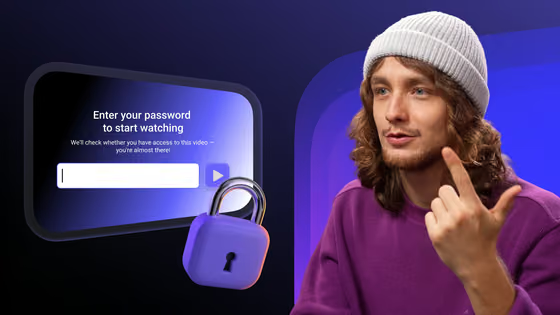
Token permissions
Logged like the web app
Revoke in one step
Free on any plan
Public beta
FAQ
Can’t find the answer you need? Check out our MCP docs.
https://api.kinescope.io/mcp. Through it, an AI assistant finds and edits videos, manages projects and playlists, pulls analytics and runs live streams in your Kinescope account. It is in public beta.Connect your agent to your video library
Create an account, get an API token and add the server to Cursor, Claude or Qwen3. No credit card required.