





























RTMP server for OBS, vMix and Zoom
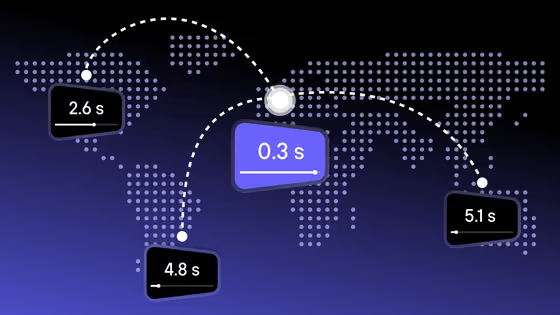
Kinescope ingest servers by region, over RTMP or encrypted RTMPS. Copy the server URL, add the stream key from your live event and get OBS settings for your type of stream.
-
rtmp://rtmp-eu.kinescope.io -
rtmp://rtmp-nl-1.kinescope.io -
rtmp://rtmp-fr-1.kinescope.io
-
rtmp://rtmp-us-1.kinescope.io
-
rtmp://rtmp-br-1.kinescope.io
-
rtmp://rtmp-sg.kinescope.io -
rtmp://rtmp-sg-1.kinescope.io
-
rtmp://rtmp-kz.kinescope.io
-
rtmp://rtmp-ru.kinescope.io -
rtmp://rtmp-msk-2.kinescope.io -
rtmp://rtmp-nsib-1.kinescope.io -
rtmp://rtmp-kzn-1.kinescope.io -
rtmp://rtmp-spb-1.kinescope.io
One Asian server, rtmp-sg-1, accepts RTMP only.
Paste the URL into Server. The stream key comes from your live event in Kinescope, next to the URL; this page never asks for it.
- Video bitrate
- 2000–2500 Kbps
- Output resolution
- 1280×720
- Frame rate
- 30 fps
- Keyframe interval
- 1 s
- Audio bitrate
- 128–192 Kbps
- Encoder
- NVENC on an Nvidia graphics card, x264 on the CPU
In OBS: File → Settings → Stream → Service: Custom. Bitrate and encoder are under Output in Advanced mode, resolution and frame rate under Video.
Go live without running your own RTMP server
Create a live event in Kinescope, paste the URL and key into your encoder and stream. Kinescope transcodes the signal, plays it in its own player and can save the recording when the stream ends.
- Free plan: live sessions up to 20 minutes, 20 viewers at a time
- No card required
- Ingest over RTMP or RTMPS in six regions
What you get instead of a self-hosted RTMP server
No server to set up
Server URL plus stream key
Pick the region of the streamer
RTMPS when the network is not yours
Watch the signal while you stream
One signal, several platforms
FAQ
Can’t find the answer you need? Check out our Connecting the stream.