















Video API
The interface that turns video infrastructure — upload, encoding, storage, delivery, playback — into a few HTTP calls inside your own product.
A video API lets your backend and apps upload, transcode, store, protect and stream video through HTTP requests, so you build the product around the video instead of the encoding servers, storage and CDN underneath it.
What is a video API?
A video API is a programmatic interface to a video platform. Instead of uploading files by hand in a dashboard, your backend or app sends HTTP requests: create a video, upload the file, check its status, get an embed or playback URL, restrict who can watch, read analytics. The platform does the heavy work in between — transcodingTranscodingRe-encoding a source video into multiple resolutions and bitrates so a player can switch between quality levels on the fly.Open definition → into an adaptive ladder, storage, delivery over a CDNCDN (Content Delivery Network)A global network of edge servers that caches video close to viewers, cutting latency and absorbing traffic spikes.Open definition → and playback.
It is what teams use when video is part of their own product rather than a marketing asset: a course platform with lessons, an app where users upload clips, a SaaS tool that records meetings, a marketplace with product videos.
What a video API covers
| Layer | Built yourself | With a video API |
|---|---|---|
| Upload | Resumable uploads, retries, storage buckets | One request, upload links for clients, chunked uploads for large files |
| Encoding | FFmpeg workers, queues, ladder tuning | Automatic adaptive renditions |
| Packaging | HLSHLS (HTTP Live Streaming)Apple’s adaptive streaming protocol. Uses .m3u8 manifests and segmented delivery; supported on every browser, device and smart TV.Open definition →/DASHDASHDynamic Adaptive Streaming over HTTP — an open ISO standard using .mpd manifests, common for DRM-protected premium content.Open definition → segmenting, manifests | Done on upload |
| Delivery | CDN contract, cache rules, egress bills | Included, billed per GB |
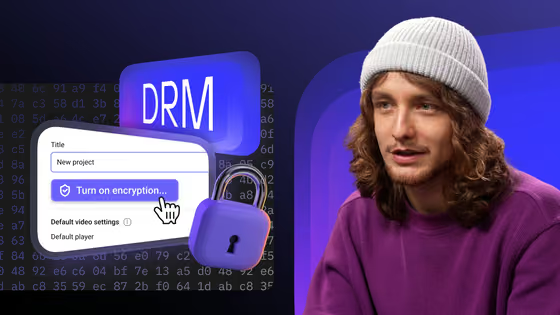
| Protection | Licence servers, token signing | DRMDRMEncryption of the video file plus a licence server that issues a per-session key — so a downloaded copy stays unplayable.Open definition →, domain locks, signed linksSigned URLA playback link carrying an expiry and a cryptographic token — it stops working once the window closes, and a tampered link never works.Open definition → |
| Playback | Player, mobile players, analytics | Embeddable player, SDKs, player events |
| Status | Polling your own jobs | WebhooksVideo webhooksHTTP calls a video platform makes to your backend when a video is ready or a live stream starts — so your product reacts without polling.Open definition → |
How a video API workflow runs
Create an API token in the dashboard and send it as a Bearer header from your backend — never from the browser or the mobile app.
Send a file in one request, import it from a URL, or create an upload link so the client uploads straight to the platform without passing through your server. Large files go in resumable chunks.
The platform encodes adaptive renditions and notifies your backend with a webhook when the video is ready — no polling.
Embed the player or use a native SDK, restrict playback to your users, and read player events and analytics to know who watched what.
Large files and user uploads
Uploads are where home-grown video features break first. A 4K screen recording can run to tens of gigabytes; on a phone connection, a single-request upload that fails at 90% starts again from zero. Video APIs solve this with resumable, chunked protocols such as TUS: the file goes in pieces, and a dropped connection resumes from the last confirmed chunk.
For user-generated video, the usual pattern is a short-lived upload link: your backend asks the API for one, hands it to the client, and the file goes directly from the user’s device to the video platform. Your servers never carry the bytes.
Example: import a video by URL with the Kinescope API
curl -X POST https://uploader.kinescope.io/v2/video \
  -H "Authorization: Bearer $KINESCOPE_API_TOKEN" \
  -H "X-Video-Title: Lesson 1" \
-H "X-Video-URL: https://example.com/lesson-1.mp4"Further reading
- Video upload API — upload patterns, resumable uploads and client upload links.
- Video hosting API guide — what to look for when choosing one.
- Kinescope developer hub — quick start, live IFrame Player API demo and SDKs.